
Before you press Retry, find out what failed. A waiting job, an upload problem and a finished video with the wrong movement need different fixes. Check Jobs and Library first, save the message you see, then choose the matching section below.
Start with the check that does not spend more credits. A new generation is useful only after you know what you want to change.
Find your problem
| What you see | First check | Next step |
|---|---|---|
| The file never attaches | Can you open the original file on your device? | Check the upload |
| Generate is unavailable or settings show a warning | Required inputs, selected model and available credits | Check the form |
| The request keeps processing | Jobs and Library | Check the waiting job |
| An error or Failed status appears | Exact message and the affected request | Record the failure |
| Credits changed but no clip arrived | Account, Library and the request details | Report the missing result |
| The clip exists but looks wrong | Source image, motion and ending frame | Review the output |
| The clip plays but will not save | The completed asset and the browser download | Check the download |
Pika is stuck generating
Open Pika Jobs. Look under In Progress, then check the finished-job filters Complete and Failed. Open Library too: the result may be there even if an earlier screen still looks busy.
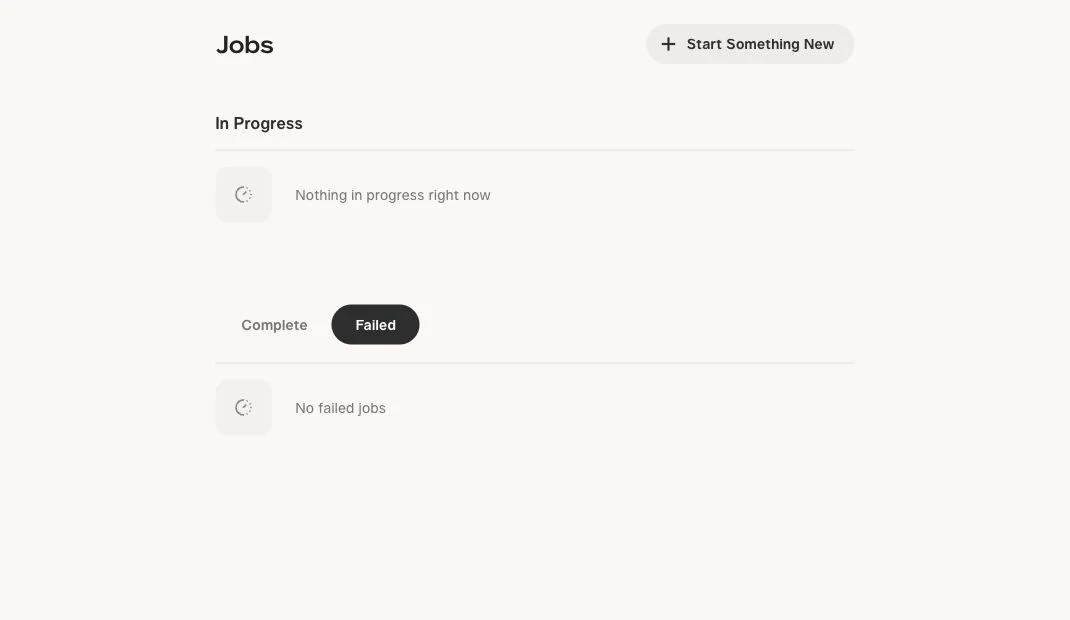
Pika’s Help Center says processing time depends on demand, the model and its settings. Repeated refreshes do not advance the queue. It does not give one waiting-time limit for every job.
- Keep the original project or request link.
- Check for the finished asset before submitting a duplicate.
- If it remains unresolved, record the start time, app, model and displayed status for support.
Reopening a status page and starting a new request are different actions. Use Retry only when you intend another generation and have read its cost.
The photo or video will not upload
Work through these checks in order. They help locate the problem; they are not a promise that changing a file will fix a Pika service error.
- Open the file locally. Confirm it contains the intended image or playable video. A filename ending in
.jpgor.mp4alone does not establish that the file is valid. - Read the upload field’s requirements. Use the file types and limits shown by the selected app. An image slot and a motion-reference slot do different jobs.
- Check the attachment. Wait for the progress indicator to finish and confirm the correct thumbnail appears. Do not submit while the source is still attaching.
- Try the same upload in a private browser window. Sign in with your usual method. If that works, compare extensions or browser state before changing the source. Pika recommends this browser check in its Help Center.
If an image does not open locally, export a fresh copy from your image editor in a format the upload field accepts. Keep the original. Renaming the extension is not a conversion. If a fresh export still fails in both windows, save the message and move to the support checklist.
For a photo that uploads but produces an unreliable clip, use the source-photo checklist. It helps you assess framing and intended movement; it does not diagnose a server error or inspect an uploaded image for you.
Generate is unavailable or the form shows a warning
Check the selected app and model, then inspect the form from top to bottom:
- Add the required source for that workflow. A reference photo, an audio recording and an ordered frame sequence are not interchangeable.
- Read any message next to the duration, resolution or other settings. Check again after switching models or input modes.
- Confirm the attachment has finished and the requested number of outputs is intentional.
- Read the live credit estimate and compare it with the balance in the correct account.
Do not copy a setting from an old tutorial if your current model does not offer it. Use the model and feature chooser to pick the workflow, or follow the single-photo tutorial to check your starting setup.
If the form explicitly rejects content, review the message and Pika’s terms. Change the request to content the service allows. Rephrasing to evade a restriction is not a troubleshooting step.
The job says Failed or shows an error
Capture the message before leaving the page. Keep its exact wording, the app or model name, and a link or identifier for the request if one is displayed.
Then distinguish a repeatable setup problem from an unexplained failure:
| Message or situation | What to do |
|---|---|
| A named input is missing | Return to the form and supply that input. |
| A file type or setting is rejected | Use a supported option displayed in that app. |
| A browser control does not respond | Check the same action in a private window. |
| No cause is explained | Keep the request details and contact Pika support. |
| The same error repeats after the stated correction | Stop repeating the submission and report the reproduction steps. |
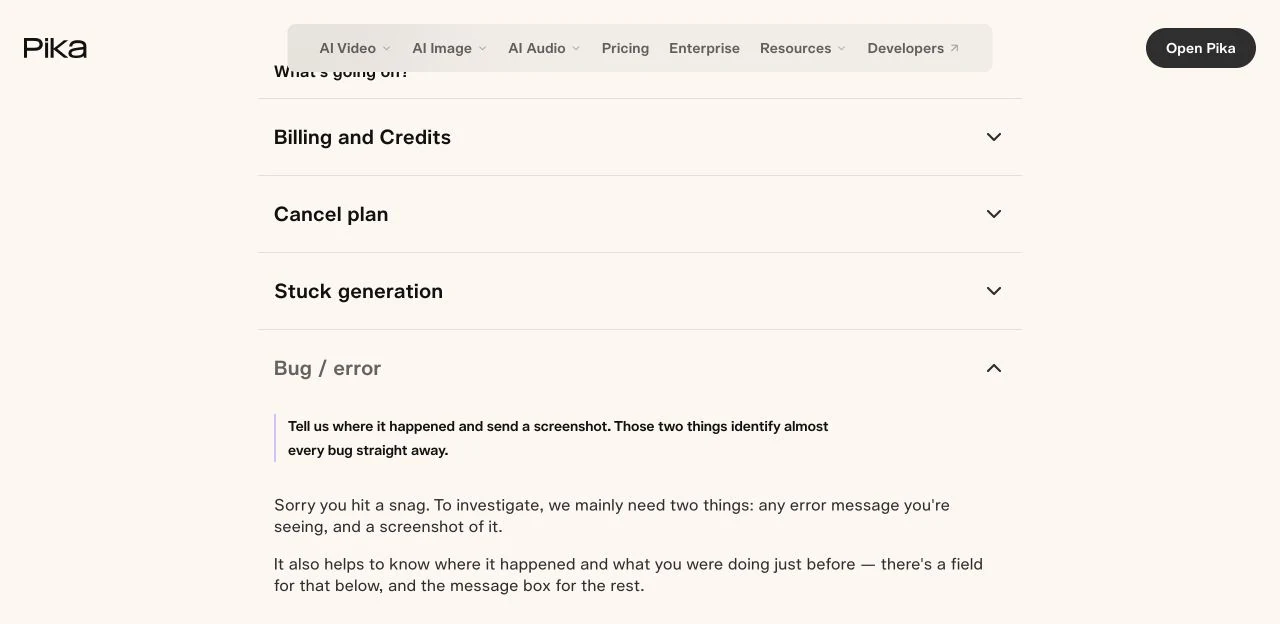
Pika’s Bug / error support section asks for the error, a screenshot and the action that led to it. If the issue repeats, say so. Do not label every generic error as an outage, a bad prompt or an account ban without evidence.
Credits were charged but the video is missing
First check Library and confirm you are using the same sign-in method as the account that made the request. Pika notes that Google and Apple sign-ins can create separate accounts, even with the same email address. See its account and credit support guidance.
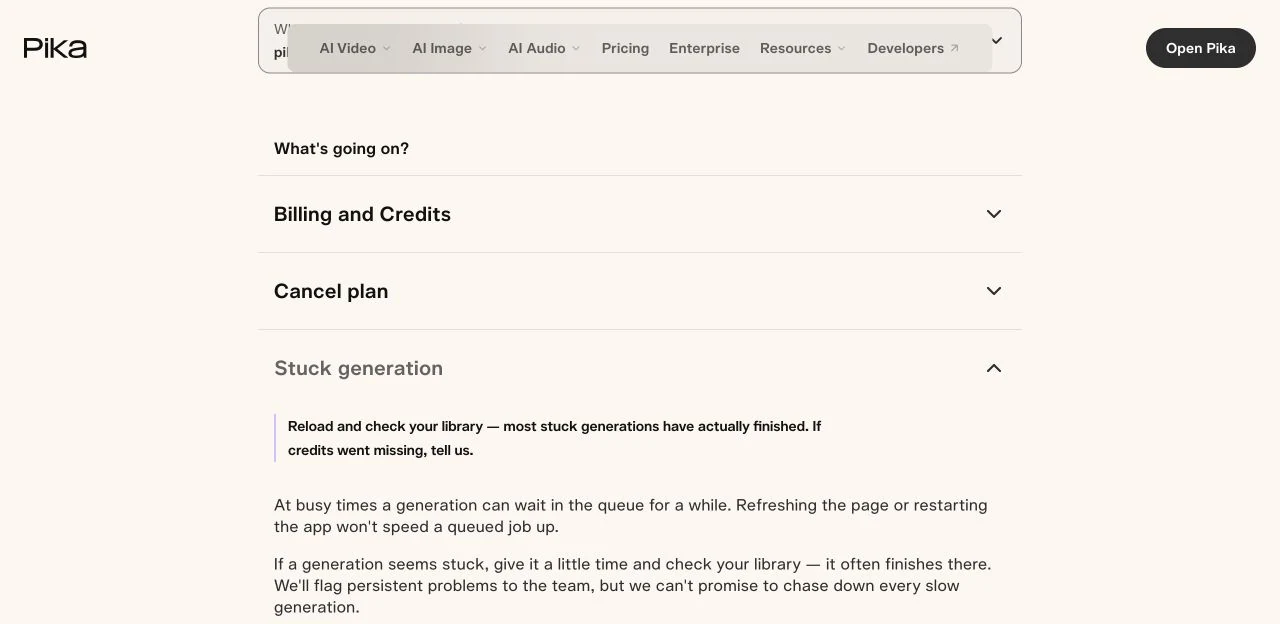
If the asset is still missing, send the request details through Stuck generation. Pika says it can inspect the request and return credits if the failure was on its side. That is a support investigation, not an automatic credit-return promise for every disliked result.
Keep the displayed estimate and observed balance change separate in your notes. Include both if they differ. Do not buy a top-up merely to repeat the same unresolved request.
The video finished but the result is wrong
A completed clip with a changing face, bent product or unwanted action is an output-quality problem. Play the whole file and name the first thing that breaks the brief.
| Problem in the clip | One change to try |
|---|---|
| The product turns and reveals an invented side | Request a smaller movement that uses the visible side. |
| The face drifts during a large turn | Start with a clear face and a smaller gesture. |
| The camera and subject move in conflicting ways | Keep one motion instruction and remove the competing one. |
| The final frame misses a required ending | Consider ordered frames for endpoint guidance. |
These are controlled changes to try, not guaranteed fixes. Our recorded prompt examples include an attempt that added a hand and pouring vessel even though the prompt asked for no new objects. Keeping the phrase and buying more attempts would not explain the cause.
Before rerunning, write down the one change you are making. Use the prompt builder for a simpler brief and the credit calculator for a retry allowance. Inspect the next full clip against the same brief.
The video plays but will not download
Reopen the completed asset and use its download action. Confirm the item is the finished video, rather than a still preview or an unfinished project card. The image-to-video guide shows the completed-asset download step.
Check your browser’s download list and the selected save location. If a download is marked as blocked, read the reason rather than repeatedly clicking. Keep the original asset available while checking the same download in a private window. Do not disable browser security or submit another paid generation to resolve a file-saving problem.
If the downloaded file itself will not play, record its filename, size and the player error for support. Avoid sharing a private asset link publicly.
Send a support report that can be investigated
Open Pika Help & Support, select the matching product, then choose Stuck generation or Bug / error. Read the guidance; use I still need help if it does not resolve your issue.
Copy this template into your own report and fill in the facts:
Problem: [waiting / failed / missing result / download]
App and model:
Approximate start time and timezone:
Request or project identifier, if displayed:
Exact error message:
Input type and selected settings:
What I did immediately before the problem:
Expected result:
What happened instead:
Displayed credit estimate and observed balance change:
Device, operating system and browser:
Private-window check and its result:
Does the issue repeat? Steps to reproduce:
Screenshot attached: [yes/no]
Remove unrelated account details from screenshots. Send request identifiers through official support, and never include passwords, API keys or payment-card details. This site is an independent guide; Pika’s support team handles account and credit investigations.
Common questions
How long should I wait for a Pika generation?
There is no single reliable cutoff for every model and setting. Check Jobs and Library first, then report a persistently missing result with its start time and request details. A fixed “wait five minutes” rule would not account for different queues.
Does a failed generation mean I should change the prompt?
Only if the message identifies a prompt issue. An upload error, a waiting request or a browser problem needs a different check. If the clip completed but the motion is wrong, simplify one instruction before paying for another attempt.
Will Retry give me the same clip for free?
Treat Retry as another generation. Read the current cost before confirming it. Checking an existing job or downloading an available asset is a different step.
Can this guide return my missing credits?
No. Use Pika’s official support with the request details. Support can investigate a missing result; this independent site cannot access or change your account balance.
Should I retry a clip with a changing face or product?
First identify the defect and decide on one change. A clearer source or smaller movement may be worth testing, but neither guarantees a usable clip. Keep a budget limit and stop if repeated attempts fail the same check.