Free browser tool · No signup · Your text and photo stay in this tab
Start with a ready-made brief
Eight editable starting points. Choose one, then change the details to fit your shot.
Presets are writing templates. The tested video examples are below.
WORDS AND THEIR RESULTS
Two tested starting points
We used the same coffee-mug brief with Pika 2.5, selected 1080p, five seconds and one generation per method. Watch both clips, then borrow the workflow that fits your idea.
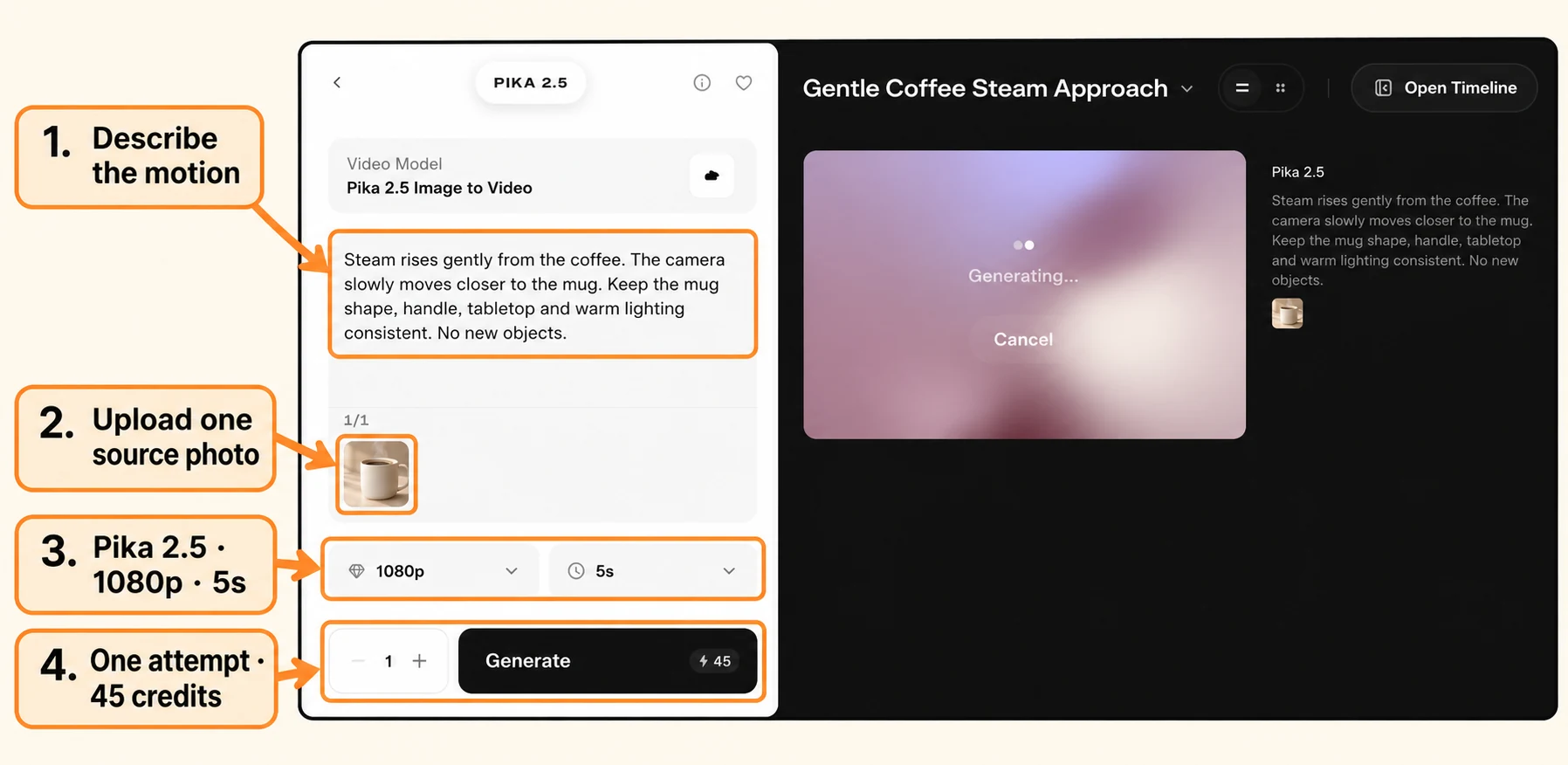
The mug and handle stayed visible in our ending frame. The steam changed, with a modest camera approach.
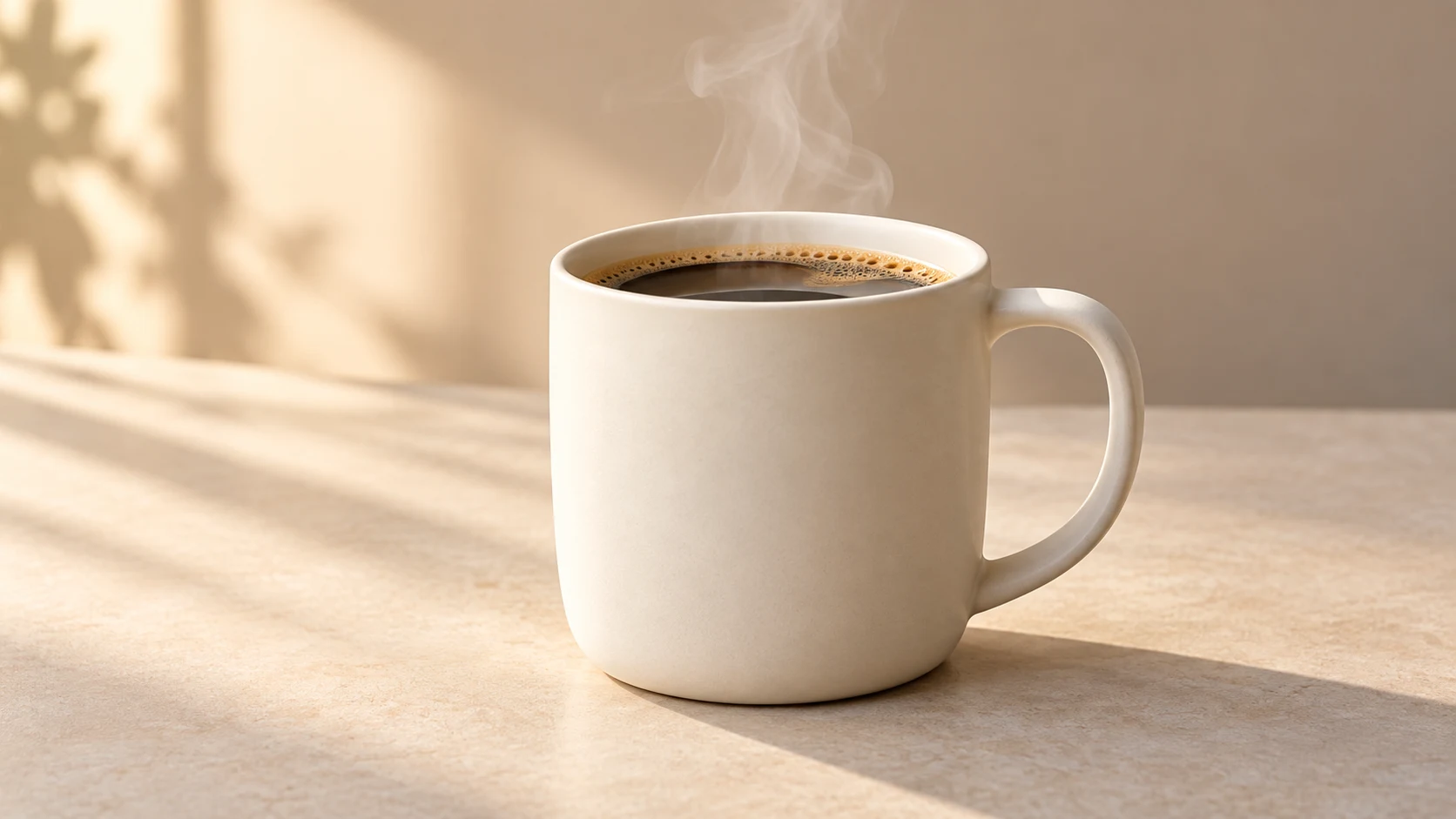
Use this sample photo, or attach your own clear product photo in Pika.See the Pika settings for this testOpen the screenshot at full size to read the labelled controls. Match the model, quality, duration and generation count before your attempt.Read the exact tested prompt
Steam rises gently from the coffee. The camera slowly moves closer to the mug. Keep the mug shape, handle, tabletop and warm lighting consistent. No new objects.
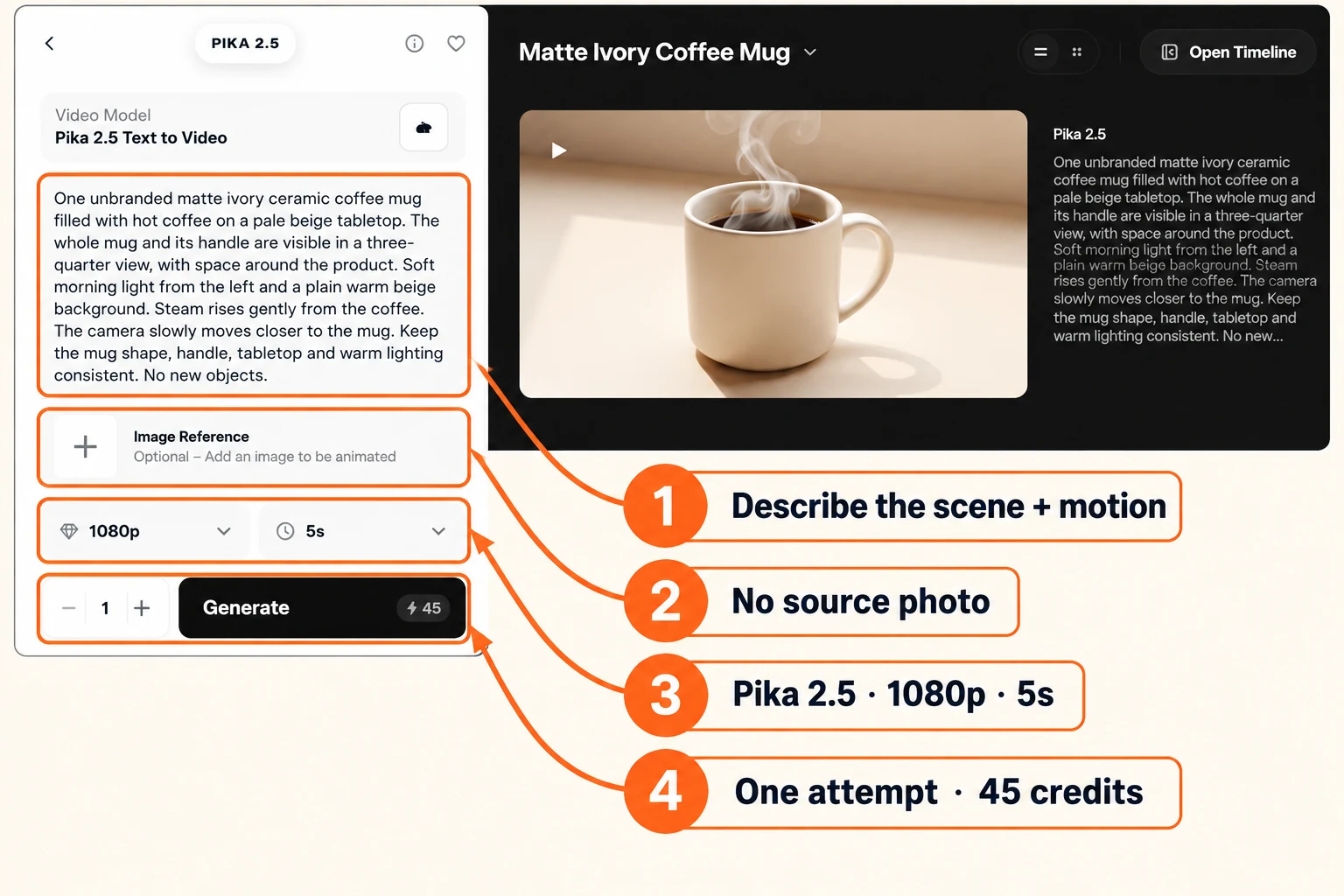
The scene started with a mug, then added a hand and pouring vessel near the end. I would simplify the motion or start from a photo for this brief.
See the Pika settings for this testOpen the screenshot at full size to read the labelled controls. Match the model, quality, duration and generation count before your attempt.Read the exact tested prompt
One unbranded matte ivory ceramic coffee mug filled with hot coffee on a pale beige tabletop. The whole mug and its handle are visible in a three-quarter view, with space around the product. Soft morning light from the left and a plain warm beige background. Steam rises gently from the coffee. The camera slowly moves closer to the mug. Keep the mug shape, handle, tabletop and warm lighting consistent. No new objects.
One attempt per method gives us examples to learn from. A changed prompt can produce a different result.