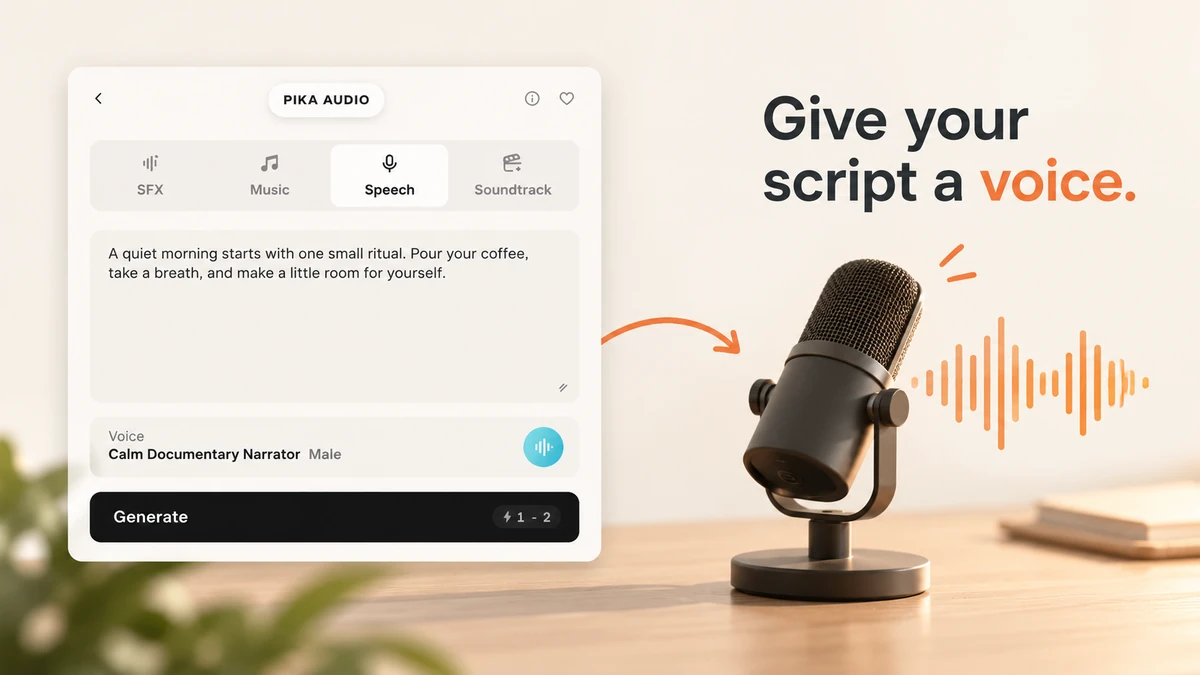
I used Pika Speech to read a short coffee narration in its default Calm Documentary Narrator voice. We wrote the exact words, checked the estimate and generated one recording.
This guide covers the dedicated Pika Speech page: Script, the voice list, the resize handle, the credit estimate and the completed audio controls. Interface checked 9 October 2026.
Hear our short read
Our script produced 9.01 seconds of audio. Generate quoted 1–2 credits; the completed asset reported Cost 1 tokens, meaning 1 Pika credit in this test. There is no duration selector in this composer.
Listen to the pace and the pauses before choosing a voice for your own clip. This is one preset and one script; the other voice suggestions below are choices to try, not additional generated samples.
What is Pika Speech?
Pika Speech is Pika’s text-to-speech tool. It turns a script into a spoken audio file using a named voice preset. The dedicated page opens Pika Audio → Speech.
I would use it for a product narration, a short explanation, a creator intro or a character read. Add the file to your editor afterward. This composer does not create a talking-face video or attach the recording to a clip automatically.
| You need | Choose |
|---|---|
| Exact words spoken aloud | Pika Speech |
| A standalone song or instrumental | Pika Music |
| A sound effect such as a click or pour | SFX Studio |
| Audio based on a finished video | Pika Soundtrack |
Step 1: open Speech and write the exact script
- Open the dedicated Pika Speech page.
- Confirm Speech in the mode bar.
- Paste the words you want read into Script.
- Read the text once before generating. Fix names, punctuation and repeated words.
I used this exact script:
A quiet morning starts with one small ritual. Pour your coffee, take a breath, and make a little room for yourself.
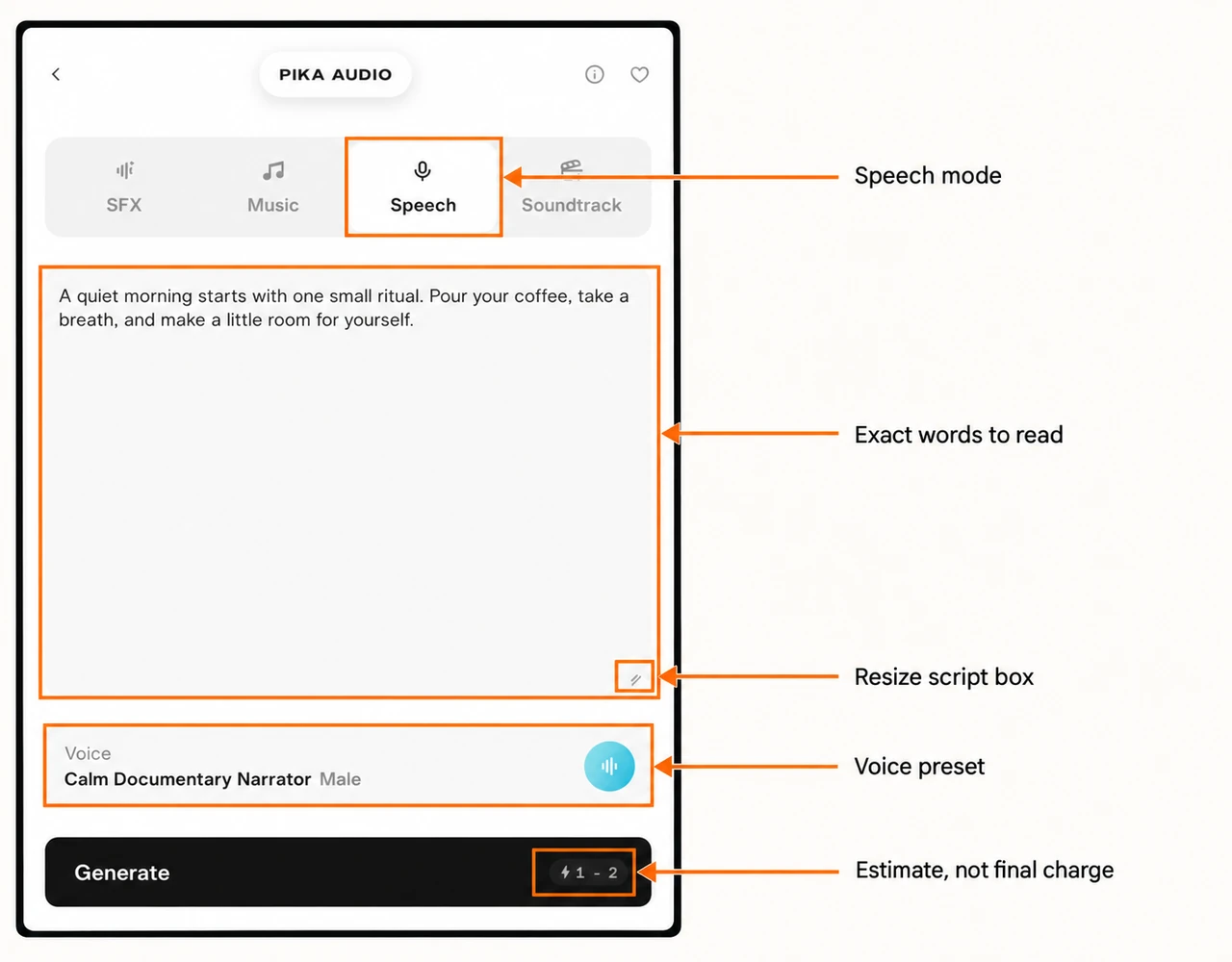
The Script field is for spoken content. I keep production notes such as “add background music” out of it, because they are not words I want in the read. For direction, begin with the voice preset that best fits the delivery.
Keep a short read short
This page has no 5s or 10s duration control. The amount of text, the voice and its pacing determine the result. Our 20-word script returned 9.01 seconds. That example is useful for planning, but a different voice can take another amount of time.
For a strict 10-second slot, start with fewer words, listen, and adjust the script or edit the recording to fit. Do not assume a duration simply because it appears in a sentence you type.
Pika’s checked page states a 15,000-character script limit. I would still test a short section first before sending a long narration. Drag the lower-right resize handle to make a longer script easier to review; resizing changes the box, not the recording length.
Step 2: choose a voice by its delivery
Click Voice below the script to open the scrolling list. The checked menu contained 76 named presets, with Male or Female labels. I kept Calm Documentary Narrator, Male, which was selected by default.
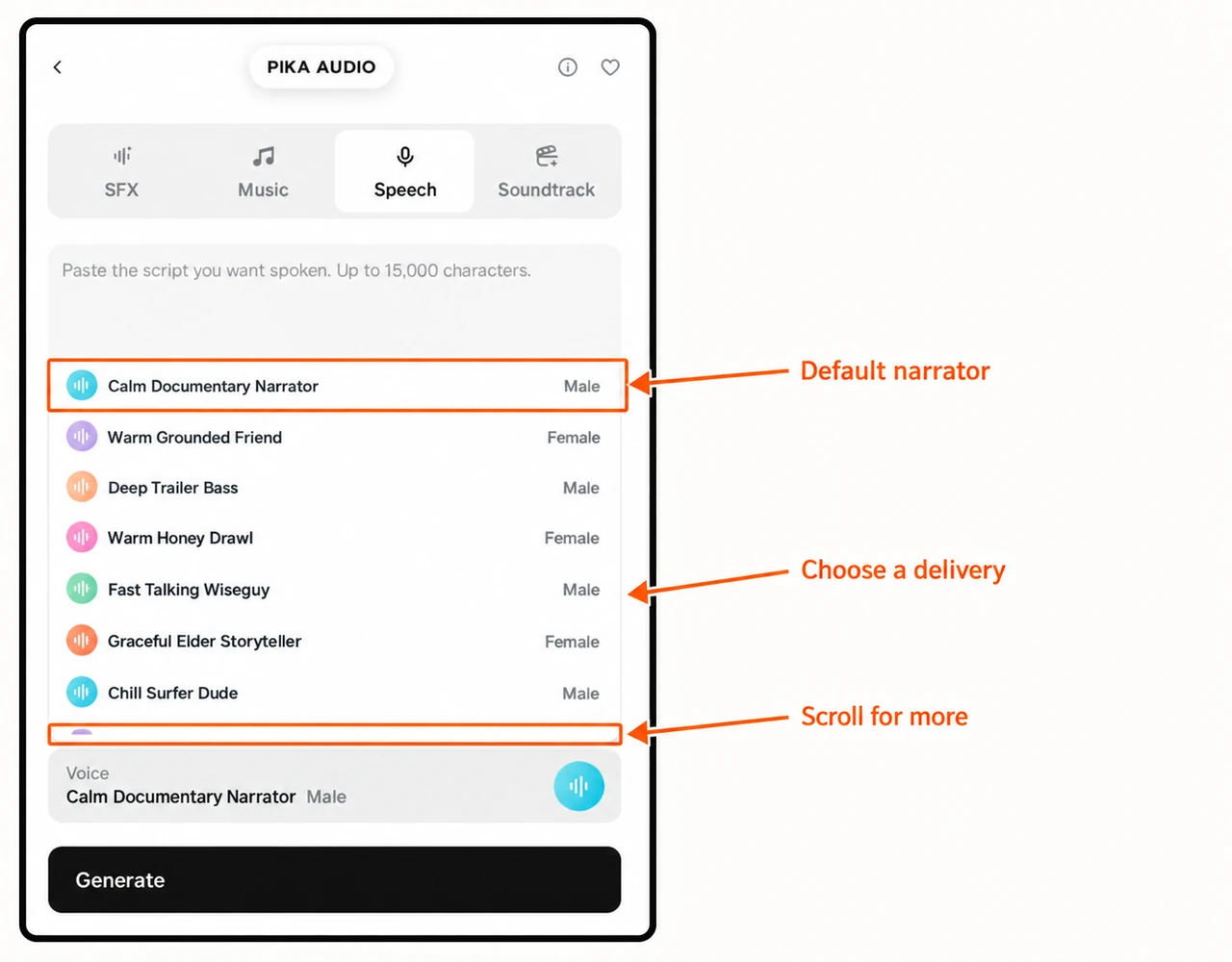
The names describe a style of read. Here are useful starting choices from the checked menu:
| Your script | Preset to try |
|---|---|
| Calm explanatory narration | Calm Documentary Narrator or Poised Documentary Calm |
| Friendly product introduction | Warm Grounded Friend or Soft Cozy Aesthetic |
| Lively creator opening | Bright Peppy Vlogger or Smooth Hype Unboxer |
| Clear information update | Polished News Anchor or Articulate Tech Lead |
| Dramatic character line | Deep Trailer Bass or Hammy Pirate Captain |
These are suggested matches based on the preset names. We generated only the default narrator. Keep the same script when comparing voices so you can judge the delivery rather than a rewritten message.
Can I upload a voice to clone here?
The current dedicated Speech composer uses presets. Its FAQ says cloning from a recording is not part of this panel. There is no voice-upload card in the checked Speech form.
The Use my voice workflow in Pika Music is a different job: a music performance shaped by a permitted sample. For other narration models, inspect Speech Studio; its controls can change with the selected model.
Step 3: check the estimate and generate once
- Confirm the script and voice.
- Wait for the credit estimate on Generate to settle.
- Press Generate once.
- Open the completed audio asset in the project and play it.
- Check the asset details for the final cost before repeating a job.
Our quoted range was 1–2 credits. The completed result cost 1 credit. A range on the button is an estimate, not two separate controls or a promise that every script will cost the lower number.
The form checked here has no separate speed, pitch, emotion, duration or generation-count setting. No additional speech-model menu appeared on this dedicated page. Choose a preset, revise the words and punctuation, or use Speech Studio if you need to inspect another model’s controls.
Step 4: download and place the read in your edit
Open the audio asset and use the downward-arrow Download control. Its player lets you listen before saving. The project also offers Reprompt to return to setup and Retry, which creates another paid generation.
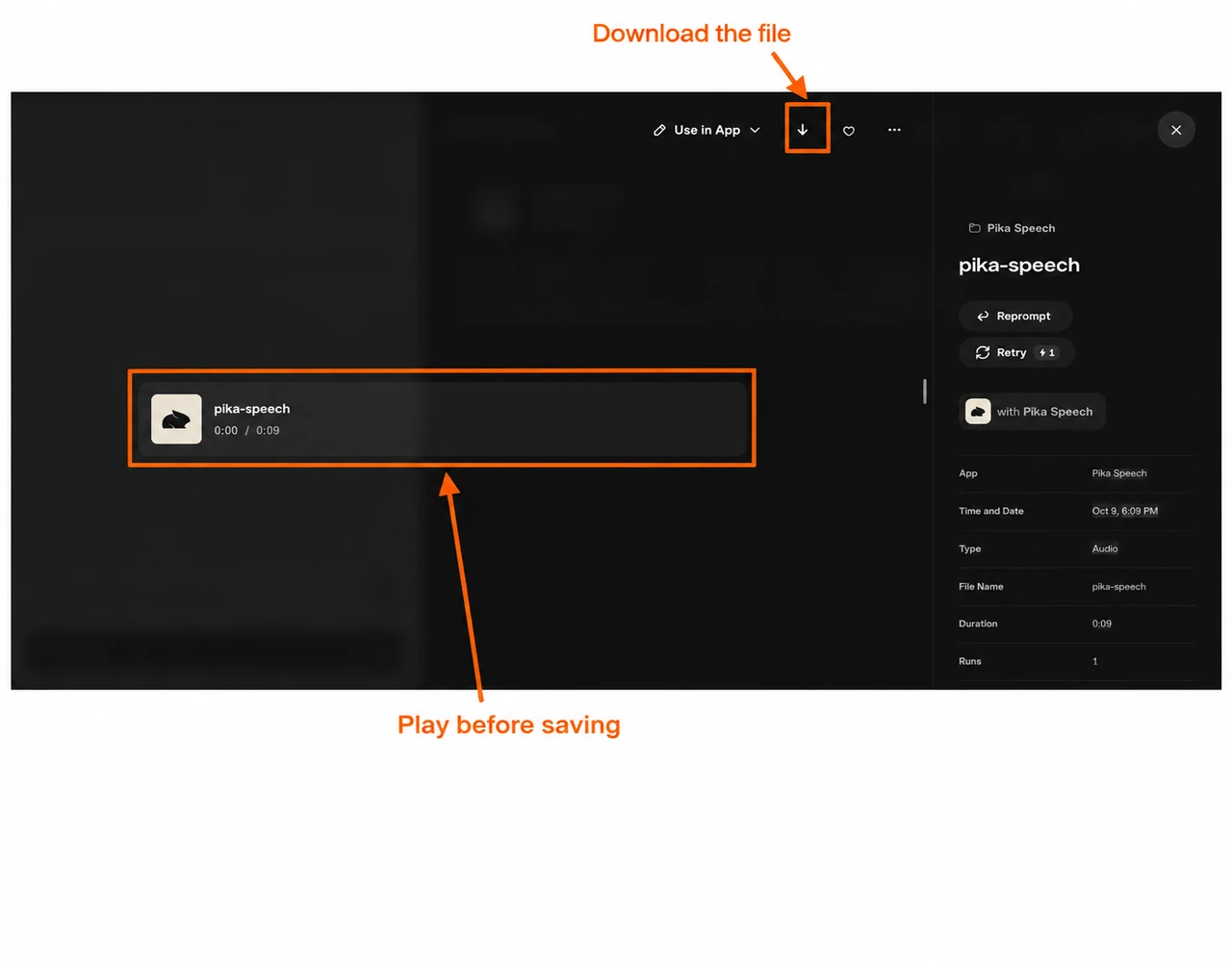
Our downloaded file is WAV, 48 kHz, stereo, 9.01 seconds. The two players on this guide use an MP3 copy of that same recording for smaller downloads. We did not trim the speech or add music.
In your video editor, place the voice first, then arrange your picture or captions around the words. Keep music quiet enough for the message to be understood. Check the last word is not cut off when exporting.
Three scripts to adapt
| Job | Short script |
|---|---|
| Product introduction | Meet our everyday ceramic mug. A comfortable handle, a simple shape, and room for your morning coffee. |
| Quick tutorial | Upload your image first. Check the model and settings, then review the credit estimate before generating. |
| Creator opening | Today I am testing one short clip. We will compare the setup with the result and keep the useful parts. |
These are writing examples, not extra generated recordings. Replace any product claims with facts you can support. For a first test, I would use one clear message rather than a long introduction.
Review the recording before using it
- Words: are every name and important phrase pronounced clearly?
- Pace: does the message fit the intended edit without rushing?
- Pauses: do punctuation and sentence breaks sound sensible?
- Finish: is there enough room after the last word?
If the read is too long, remove words before trying to squeeze it into the edit. If the delivery does not suit the message, keep the script and try a different preset. Review the new estimate before generating again.
What did this test cost?
One short script, one default voice and one completed recording cost 1 Pika credit. The quoted range was 1–2 credits. Longer text or a later pricing change can produce another estimate; read your own button and the completed asset details.
For a narration file, this dedicated page is a clear starting point. For a song, use Pika Music. For a walkthrough of other narration models, use Speech Studio.