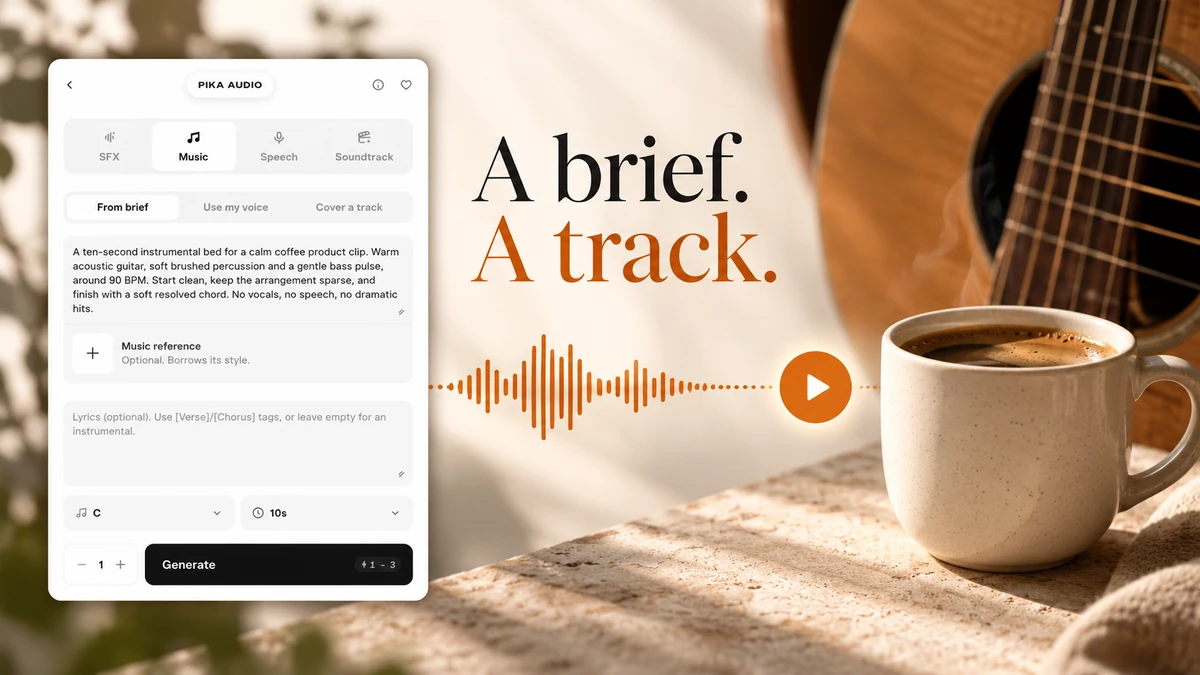
I opened Pika Music to make a short music bed for our coffee clip. We started with a written brief, kept the lyrics blank, and generated one 10-second track.
The same page has From brief, Use my voice and Cover a track. I explored all three; the audio below comes from From brief. The other two walkthroughs show prepared settings. Interface checked 9 October 2026.
Hear the track before choosing a workflow
Our submitted settings were C, 10s, one generation, no reference and blank lyrics. Generate quoted 1–3 credits; the completed asset reported Cost 1 tokens, meaning 1 Pika credit in this test.
I asked for a sparse acoustic bed without speech. Listen for a clean opening, space for your message and a useful ending. The requested tempo and key are directions, not an analysis of the returned recording.
What is Pika Music?
Pika Music generates a standalone music file. Its dedicated page opens Pika Audio → Music, where you can write a brief, add lyrics, supply a voice sample or prepare a cover.
I would use it for a product edit, creator intro or a short song idea. It does not attach the music to your video automatically. Place the returned track in your editor, or use Pika Soundtrack for a workflow that starts with a video.
| What you want | Start here |
|---|---|
| A new instrumental or song | From brief |
| A sung performance shaped by a permitted voice recording | Use my voice |
| A different arrangement of a song you already have | Cover a track |
| Spoken words rather than singing | Pika Speech |
Step 1: open Music and write a brief
- Open the dedicated Music page.
- Confirm Music, then From brief.
- Describe the mood, instruments, pace and ending in Prompt.
- Leave Lyrics empty for an instrumental.
I used this exact brief:
A ten-second instrumental bed for a calm coffee product clip. Warm acoustic guitar, soft brushed percussion and a gentle bass pulse, around 90 BPM. Start clean, keep the arrangement sparse, and finish with a soft resolved chord. No vocals, no speech, no dramatic hits.
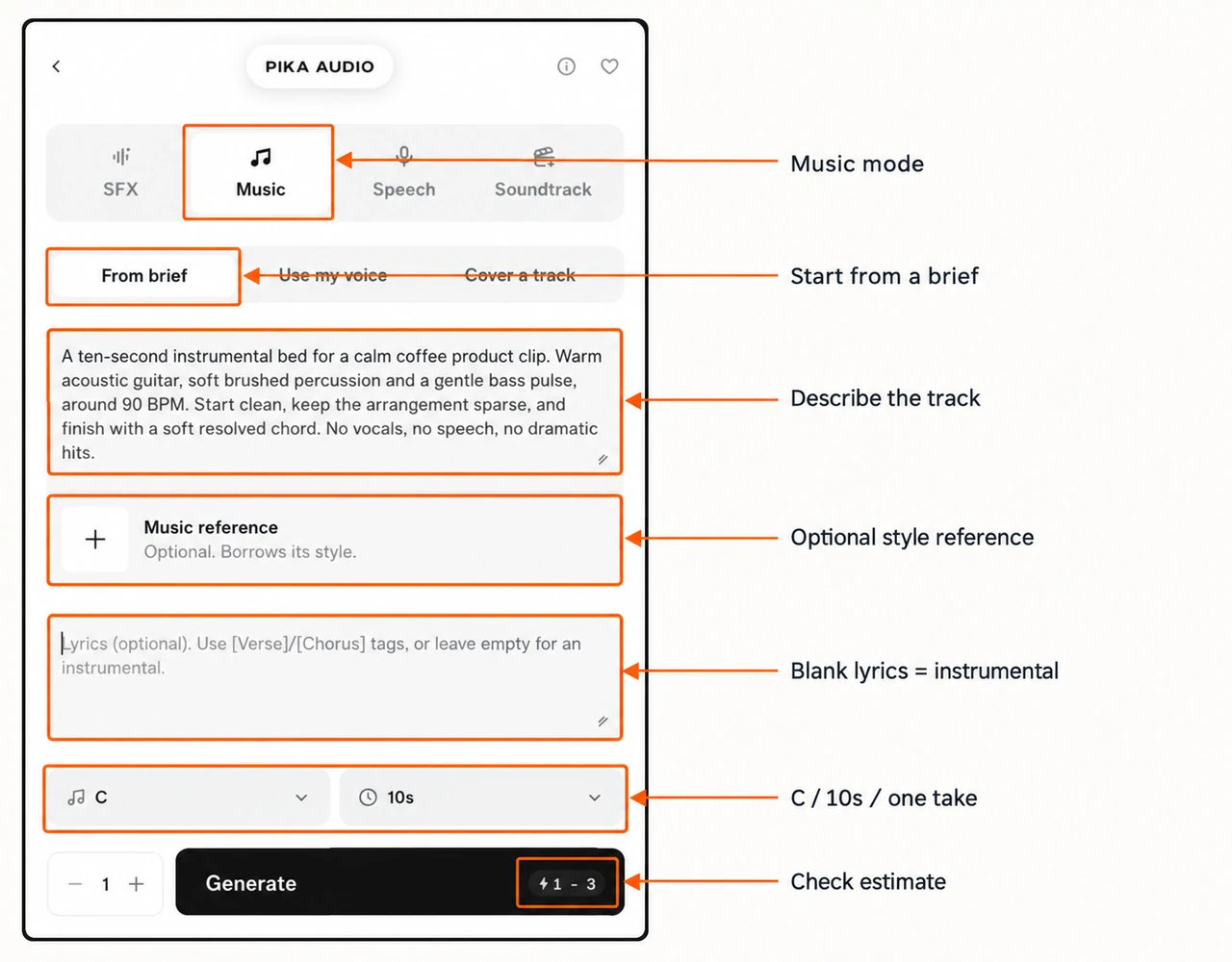
The app page says the brief can contain up to 4,000 characters. More words are not always more useful. State the main job, two or three sound choices and anything that would distract from the clip.
Optional: give it a style reference
Under From brief, Music reference is optional and marked “Borrows its style.” Click the card, choose a saved audio asset and confirm Use Selection, or choose Upload for a device file.
Pika describes this as a starting point for a new composition. For a new track with a similar mood, use this card. To rework the supplied song itself, choose Cover a track. Our generated example has no reference.
Step 2: choose the key, length and count
Key starts at Any key. I selected C for this example. The checked menu lists Any key, A, A♭, B, B♭, C, D, D♭, E, E♭, F, F♯, G and G♭. Leave Any key if you have no musical requirement.
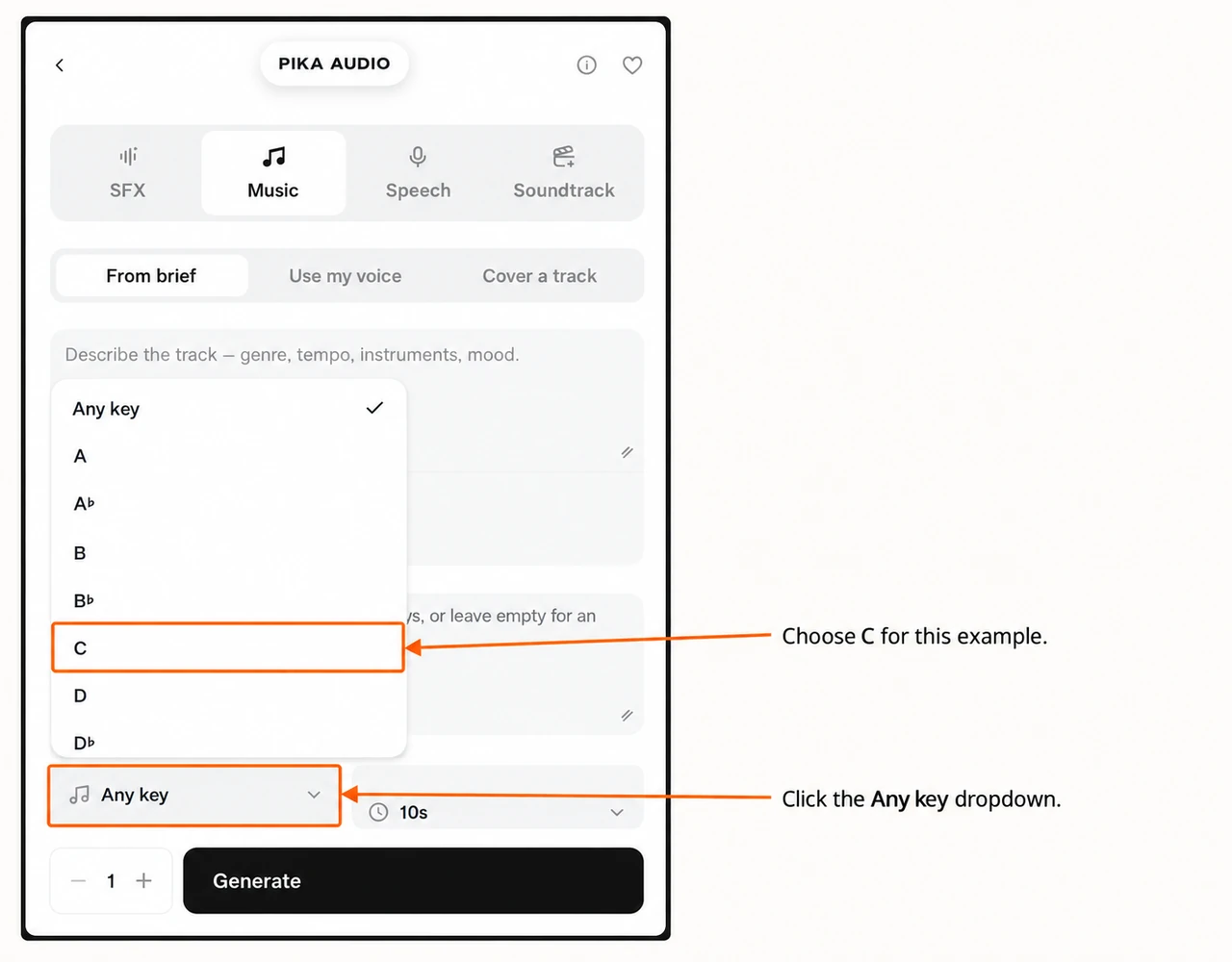
Length started at 30s; I changed it to 10s. The menu lists 10, 15, 30, 45, 60, 90, 120, 180, 240, 300 and 360 seconds. The image shows the top of the scrolling menu.
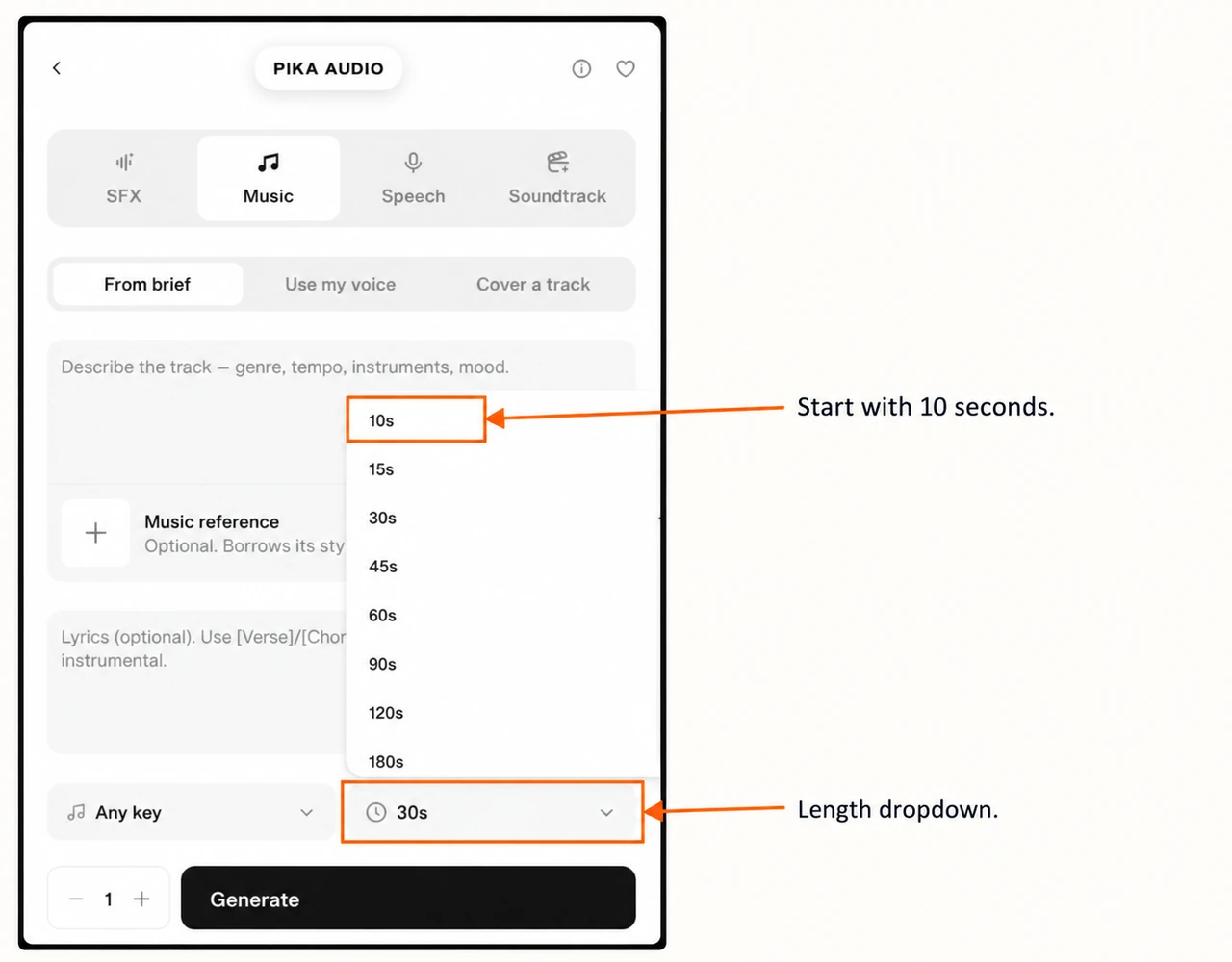
Keep Generations = 1 for a first check. The minus and plus buttons change the number of takes. Review the quote again after changing the length or count.
The text boxes have resize handles at the lower-right. Drag one to give the brief or lyrics more room. Tempo, instruments and arrangement belong in the brief; the checked form has no separate BPM slider.
Step 3: generate, listen and download
Check the brief, blank lyrics, C, 10s and one generation. Wait for the estimate to settle, then press Generate once. Open the completed asset in the project to play it, inspect its details and use the downward-arrow download control.
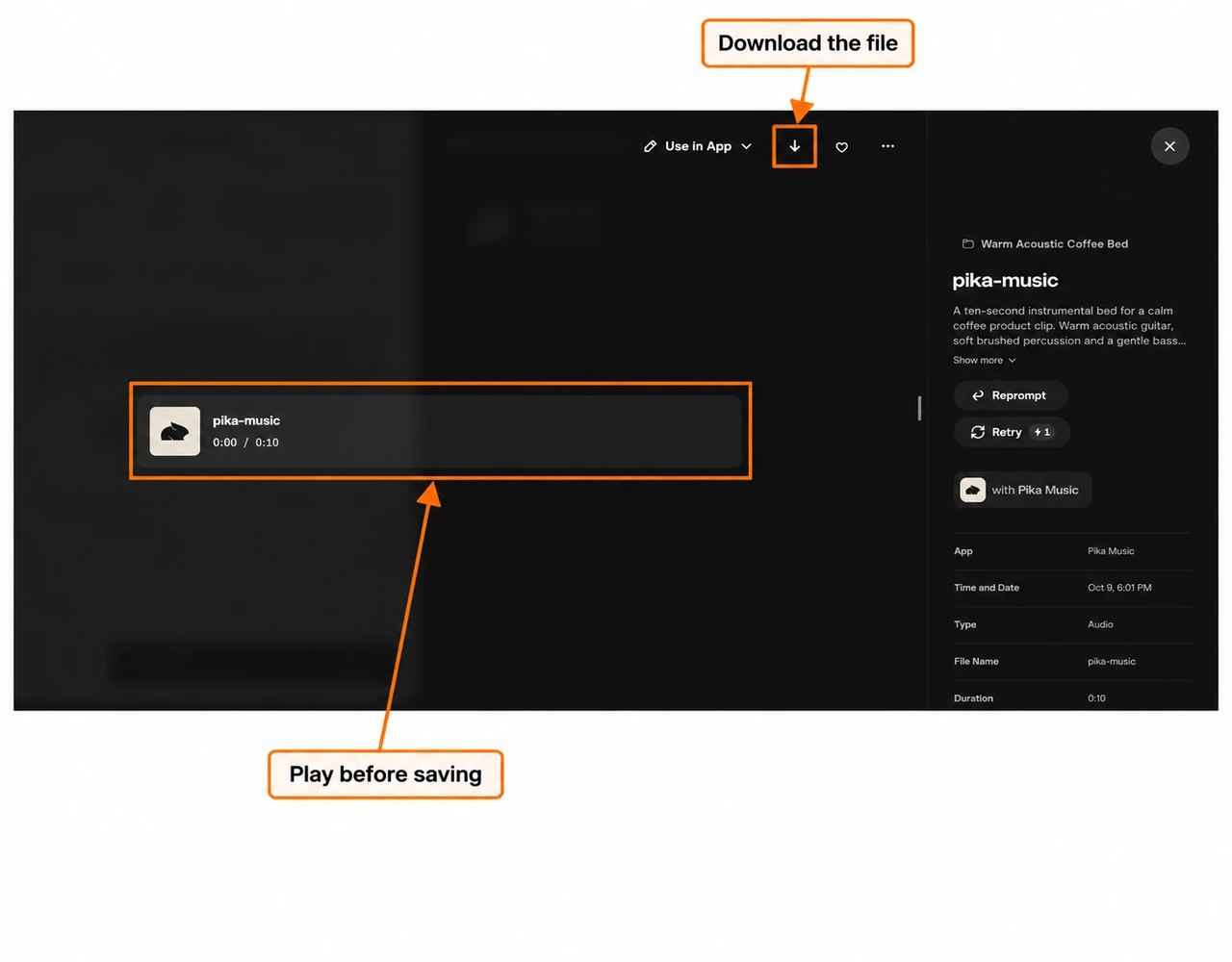
The downloaded WAV is 10.00 seconds, 48 kHz, stereo. The player uses an MP3 copy for a smaller page download. It contains the same take; we did not trim or replace the generated sound.
Before using a track, check its first second, the busiest section and its ending. If it competes with a voiceover, try a simpler brief or lower it in your video editor. Keep the original take so you can compare a later version fairly.
Use my voice: prepare a sung voice reference
Use this when: you need a song shaped by a voice recording you have permission to use. This is the music workflow, not a way to read a narration script.
- Select Use my voice.
- Click Voice sample and attach the permitted recording.
- Check its player and duration. Choose a different sample replaces it.
- Write the song direction in Prompt and the words to sing in Lyrics.
- Read the rights confirmation and check it only if it is true.
- Choose the key, length and count, then review the quote.
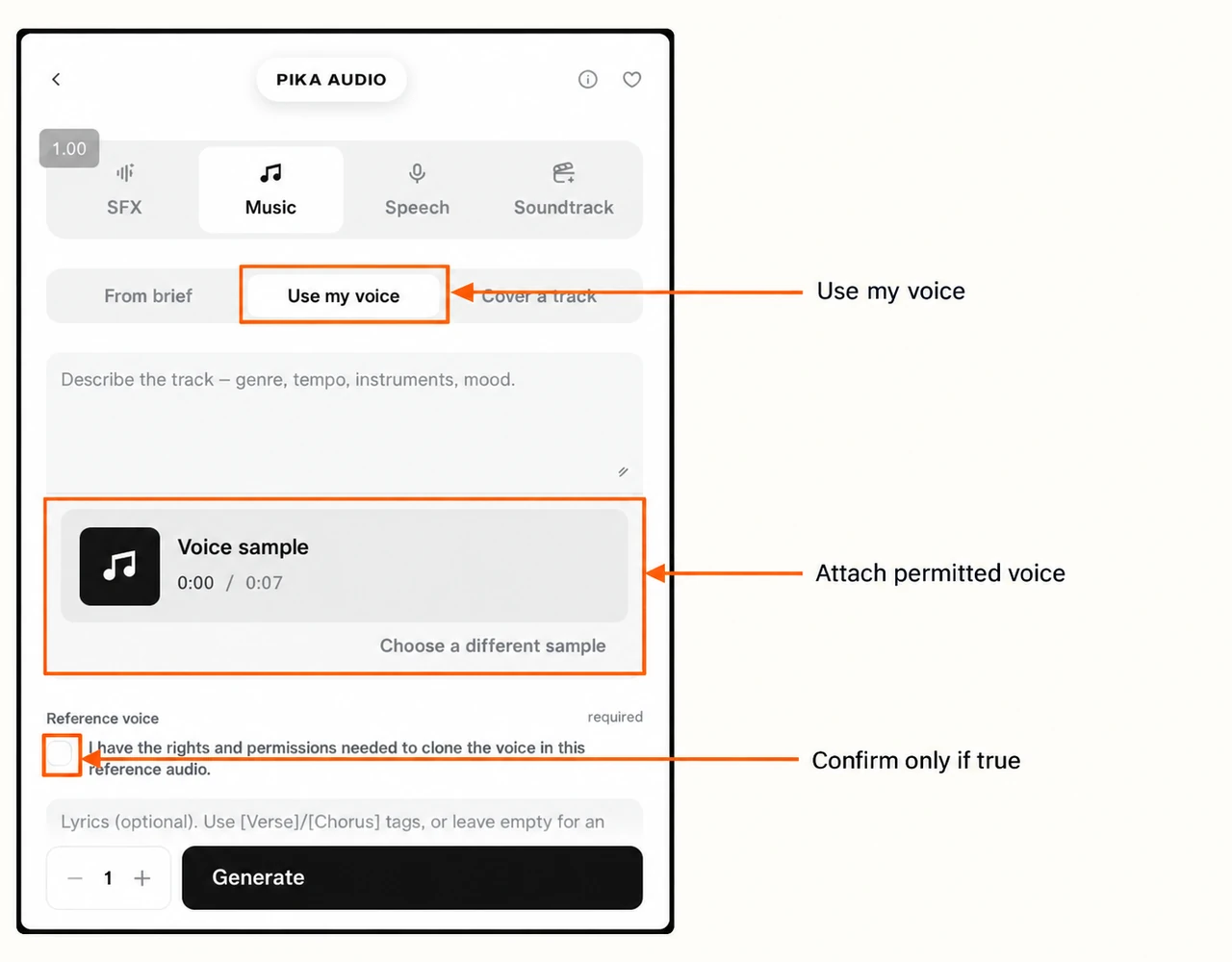
I attached a saved synthetic speech sample to inspect this form. The required rights box remains unchecked in the screenshot. For your song, use a clear recording that meets the permission requirement; Pika says this confirmation is needed for the voice workflow.
A prepared brief to adapt:
A short acoustic chorus with one clear lead vocal, soft guitar and gentle percussion. Keep the words easy to hear. No spoken narration.
Add the words to sing
The checked app page gives a lyrics limit of 8,000 characters and suggests section tags such as [Verse], [Pre-Chorus] and [Chorus]. I would start with a short chorus for a 10-second test, rather than squeeze a full song into it.
[Chorus]
Take a breath and keep it simple
Make a little room for calm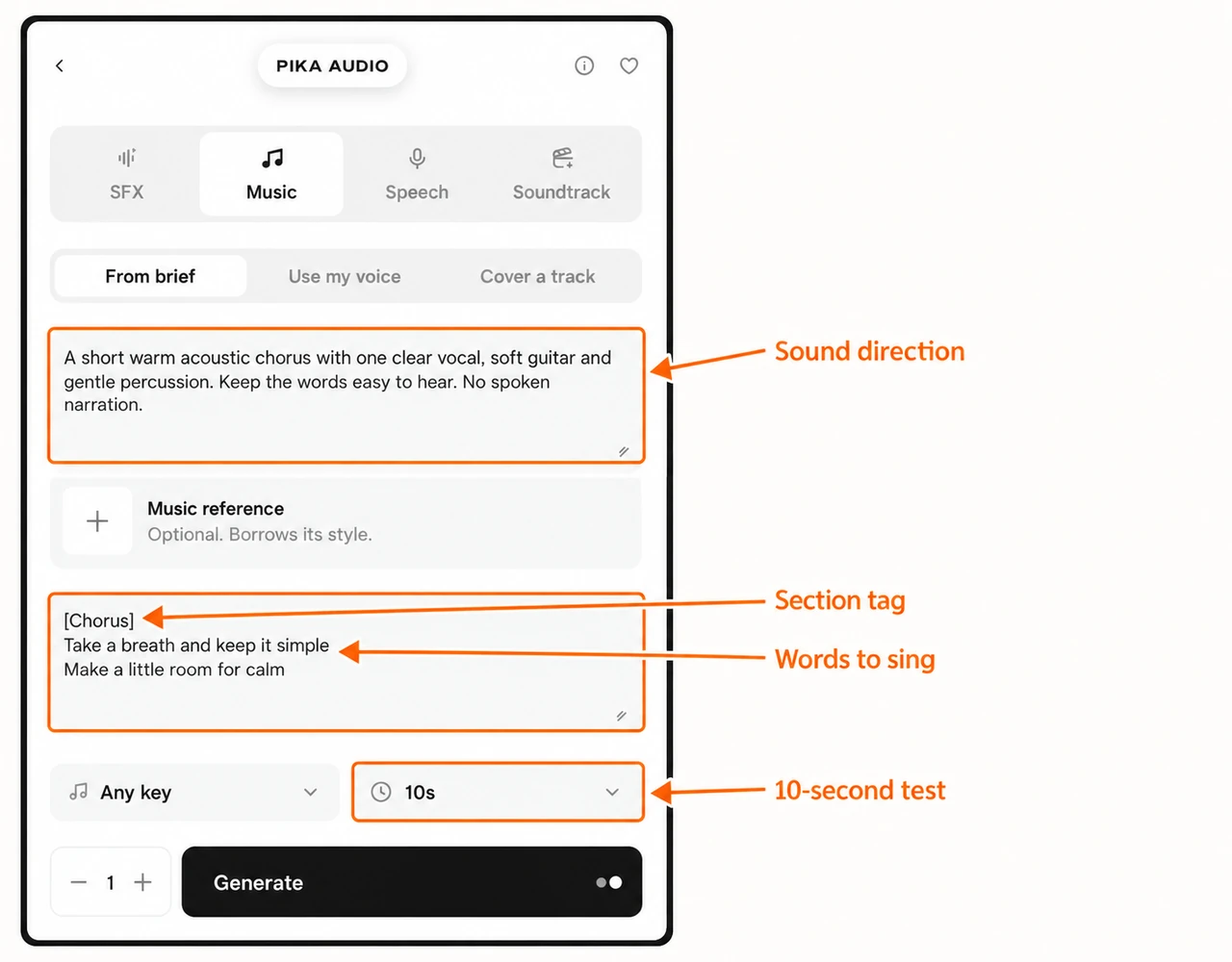
This is a prepared lyrics example under From brief; it also shows how Prompt and Lyrics do different jobs. Prompt describes the sound. Lyrics contains the words. We generated only the instrumental at the start of this guide.
Cover a track: change the arrangement
Use this when: you already have a song and want to request another genre, tempo or arrangement. Pika describes this workflow as rebuilding the same song to a new brief.
- Select Cover a track.
- Click Track to cover, choose the song and confirm the selection.
- Play the source to check that you attached the intended file.
- Describe the new arrangement in Prompt.
- Review Lyrics, Key, Length and Generations before generating.
I attached our new 10-second instrumental and prepared:
Rework this instrumental as a quiet piano arrangement. Keep a gentle pulse and a warm mood. No vocals, no speech, no heavy drums.
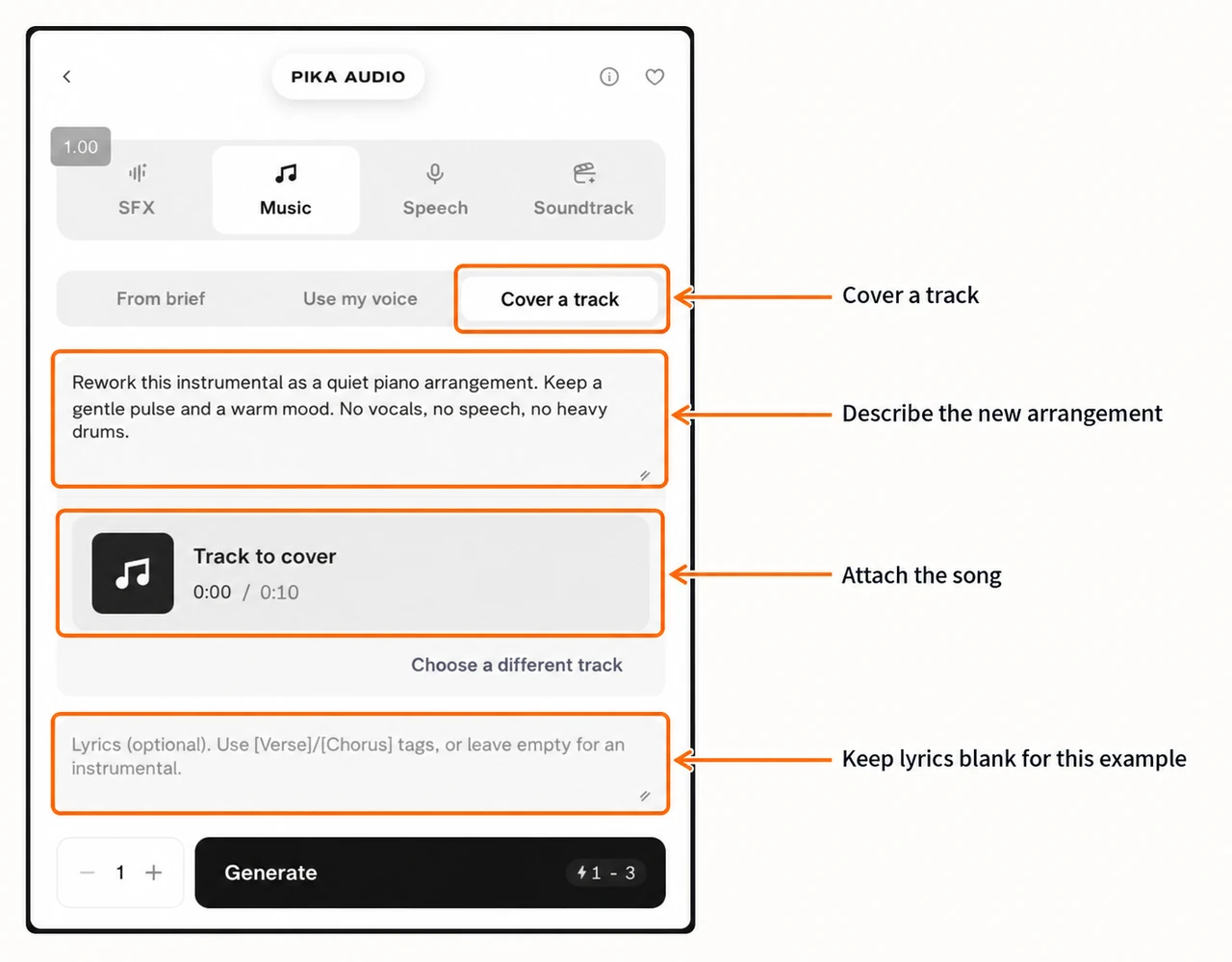
The screenshot shows our source and direction, with blank lyrics. It is a setup example. Choose a different track replaces the source; this differs from the optional style card in From brief.
Three useful briefs to try next
| Job | Starting brief |
|---|---|
| Coffee product bed | Sparse acoustic guitar, soft percussion, warm mood, no vocals, clean ending |
| Tutorial intro | Light piano and gentle pulse, short opening, no speech, no large drum hits |
| Short sung chorus | One clear vocal, soft guitar, easy-to-hear words; put the chorus in Lyrics |
Change one part of a brief at a time. I would compare instruments first, then pace, instead of changing every setting and losing track of what helped.
Cost and choosing the next step
Our 10-second From brief take cost 1 credit against a 1–3-credit estimate. This is one test, not a fixed price for every track. Longer lengths, references and extra takes can change the quote.
Use From brief first if you only need background music. Bring a permitted recording for Use my voice, and a song for Cover a track. For more model choices, follow the Music Studio guide; the dedicated page checked here had no separate music model selector.