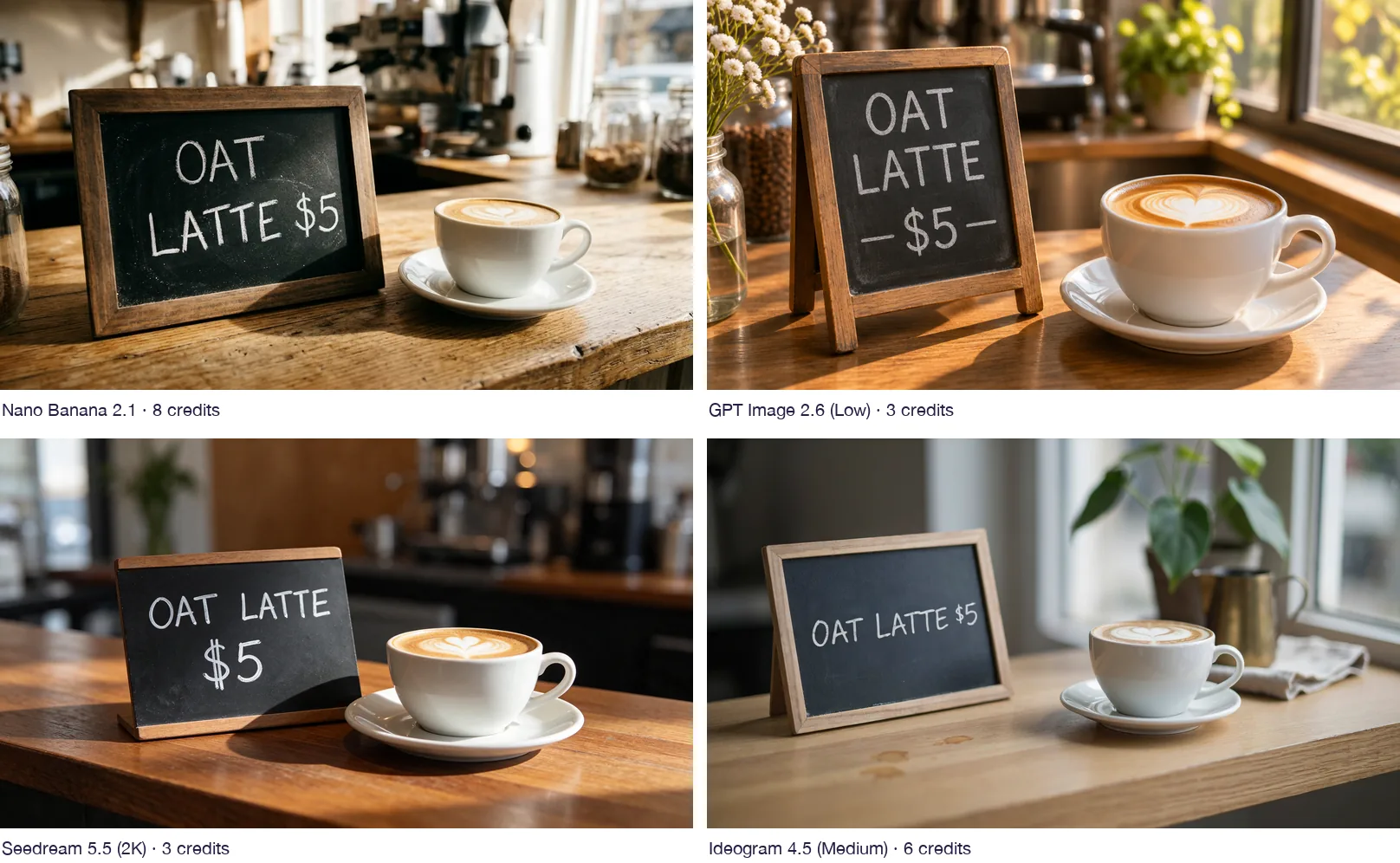
All four models spelled “OAT LATTE $5” correctly. GPT Image 2.6 and Seedream 5.5 gave the best results per credit at 3 credits each, Ideogram 4.5 copied the line most exactly, and Nano Banana 2.1 cost the most at 8 credits.
Pika offers several image models in one account. To see how they handle a short line of text inside a photo, we gave four of them the same prompt and compared the images and the credits charged.
How we ran the test
Every model got this prompt, typed exactly the same way:
A small black chalkboard sign on a wooden cafe counter next to a white cup of latte with a heart in the foam. The sign reads “OAT LATTE $5” in neat white chalk letters. Warm morning window light, shallow depth of field, realistic photo.
| Setting | Value |
|---|---|
| Input | Text only, no reference image |
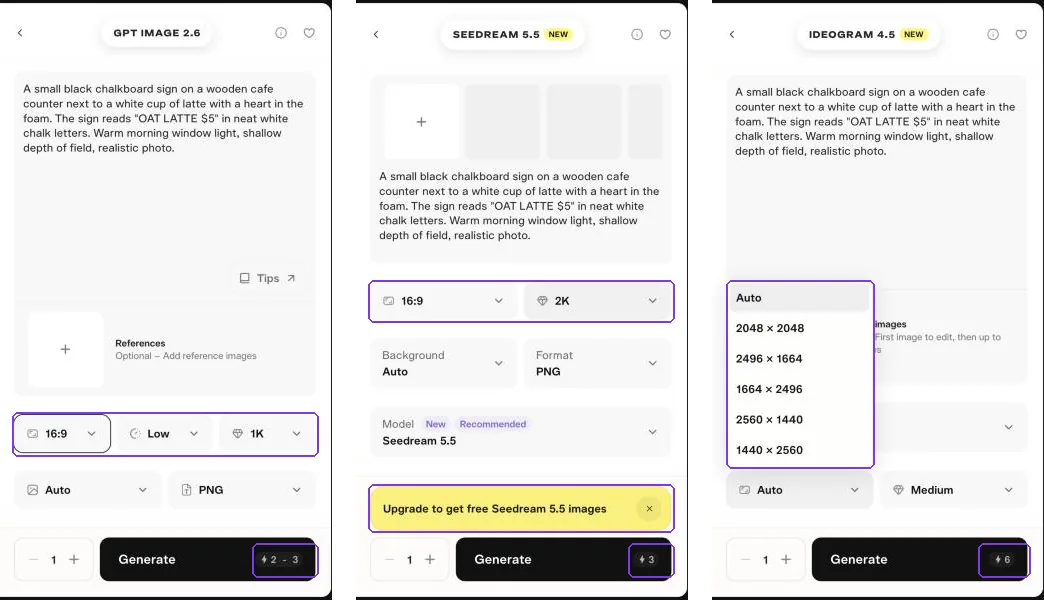
| Shape | 16:9 (Ideogram uses pixel sizes, so we picked 2560 × 1440) |
| Quality and resolution | Each app’s default: Nano Banana 1K, GPT Image Low at 1K, Seedream 2K, Ideogram Medium |
| Outputs | 1 per model |
We judged each image on what the prompt asked for: the exact sign text, a heart in the foam, warm morning window light and a realistic photo.
Results at a glance
| Model | Credits charged | Sign text | Heart in foam | Warm window light | Output size |
|---|---|---|---|---|---|
| GPT Image 2.6 (Low) | 3 | Correct, on three lines with added dashes | Clear | Strongest | 1280 × 720 |
| Seedream 5.5 (2K) | 3 | Correct, on two lines with a large price | Yes, tulip-style lines | Side light, darker room | 2816 × 1584 |
| Ideogram 4.5 (Medium) | 6 | Correct, on one line exactly as written | Clear | Soft and cool | 2560 × 1440 |
| Nano Banana 2.1 (1K) | 8 | Correct, on two lines | Small and faint | Bright | 1376 × 768 |
No model added extra words or misspelled the sign.
Compare the signs
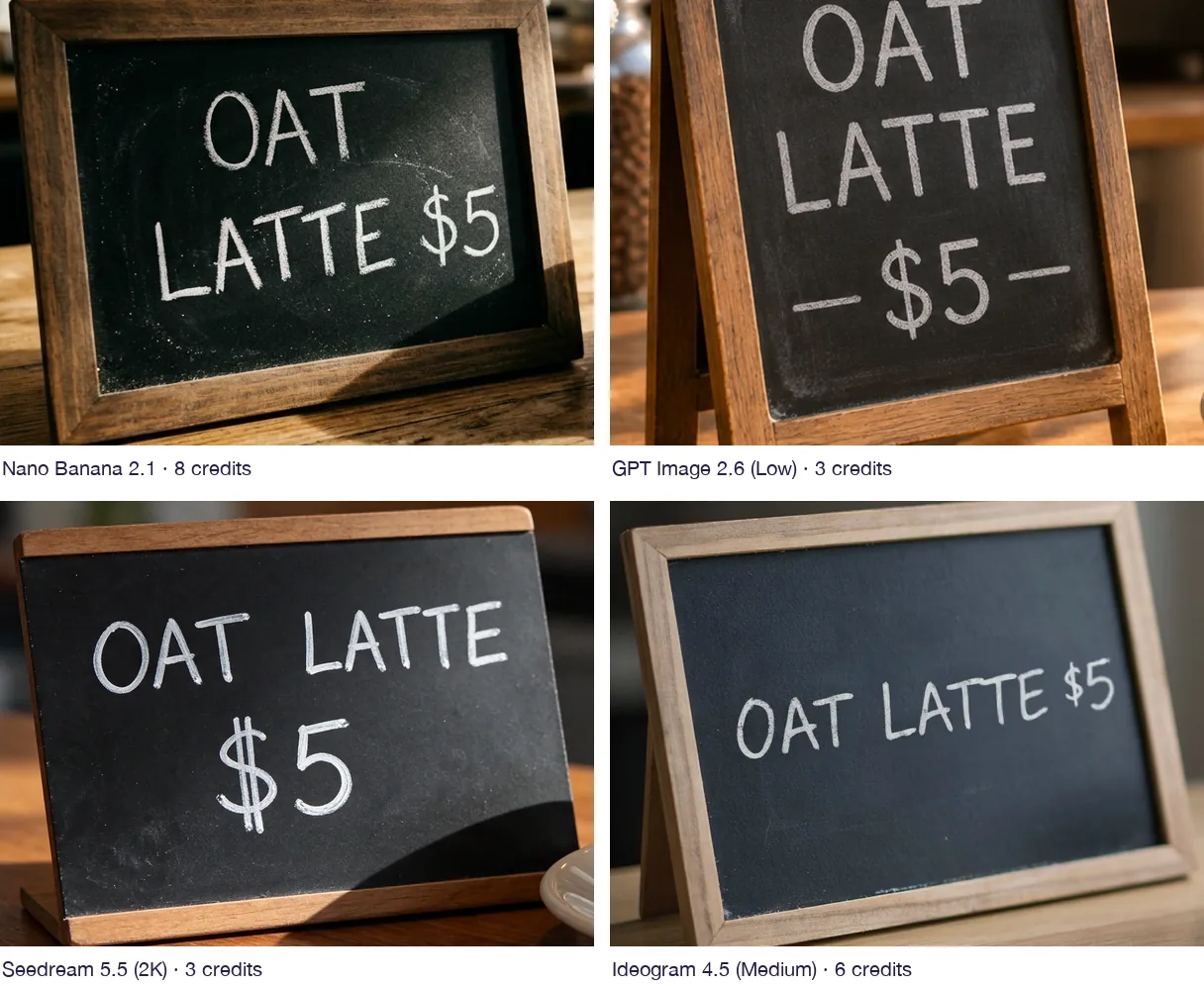
If the exact layout of your words matters, for a menu, a label or a poster, Ideogram was the only model that kept the text on one line as typed. The others chose their own line breaks, and GPT Image added decorative dashes around the price.
See each image
GPT Image 2.6 · 3 credits
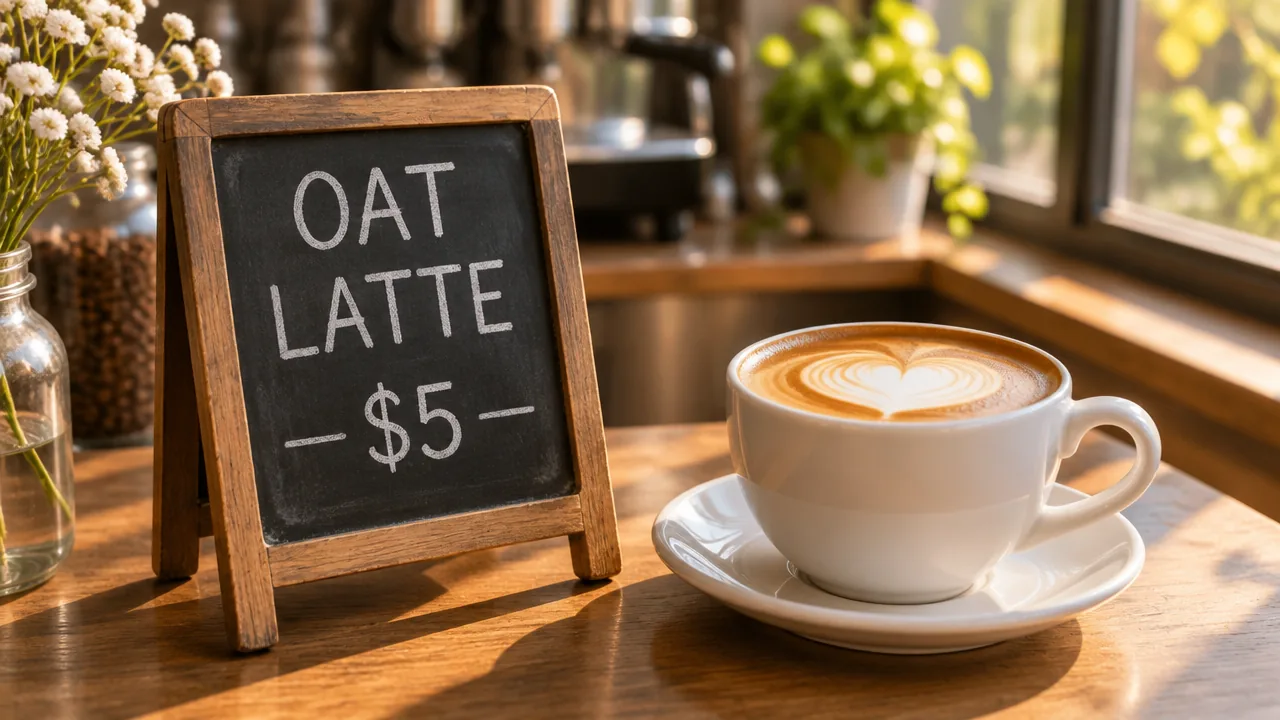
GPT Image matched the “warm morning window light” best and drew a clear heart. It turned the sign into an A-frame board and split the text over three lines. The form showed an estimate of 2–3 credits and charged 3. Low is the default quality; higher settings cost more.
Seedream 5.5 · 3 credits
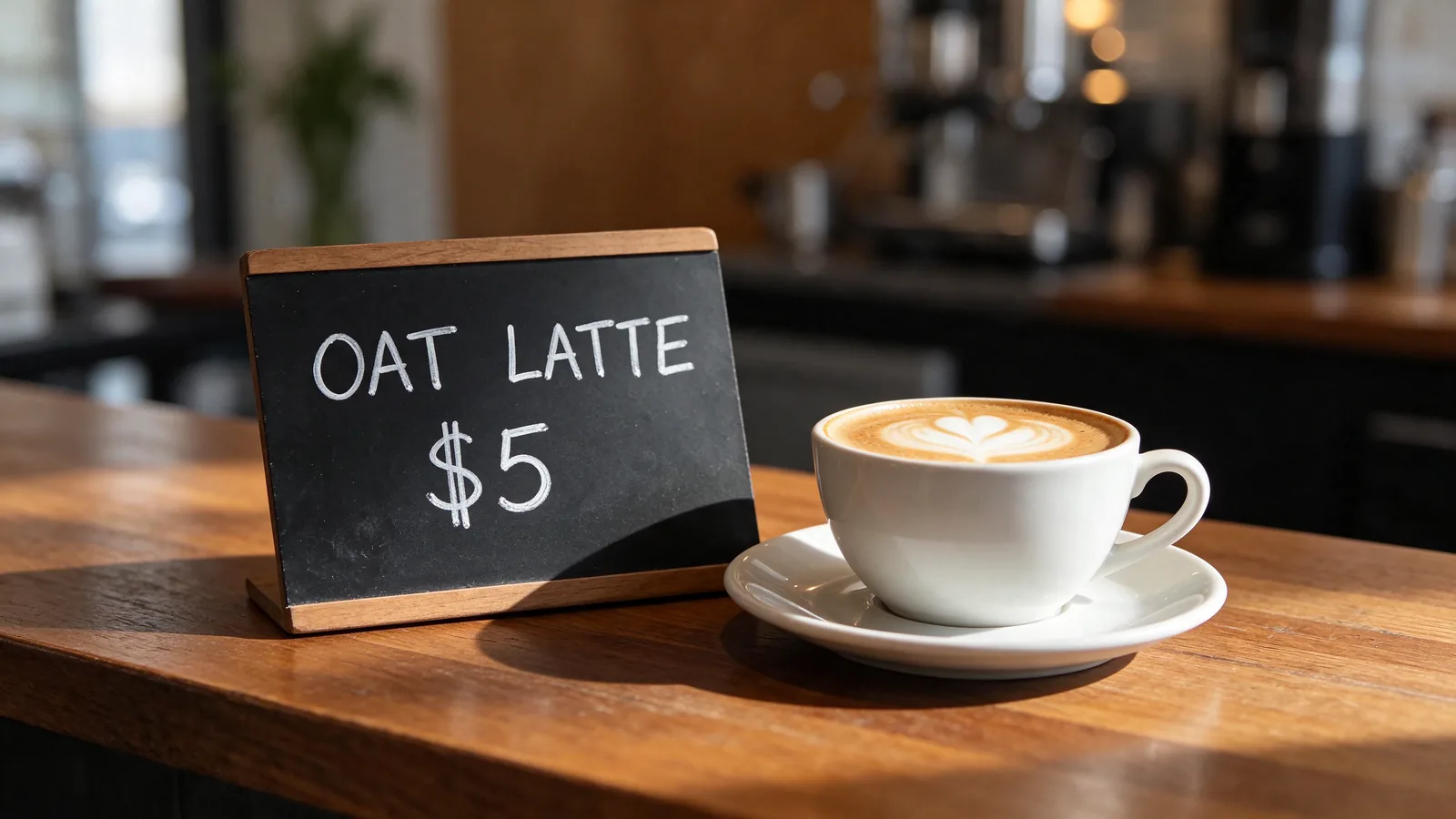
Seedream gave the largest file and the cleanest sign shape for the same 3 credits as GPT Image. The light comes from the side, and the café behind is darker than “morning” suggests. Its form also showed an “Upgrade to get free Seedream 5.5 images” banner; you can close it and generate as normal.
Ideogram 4.5 · 6 credits
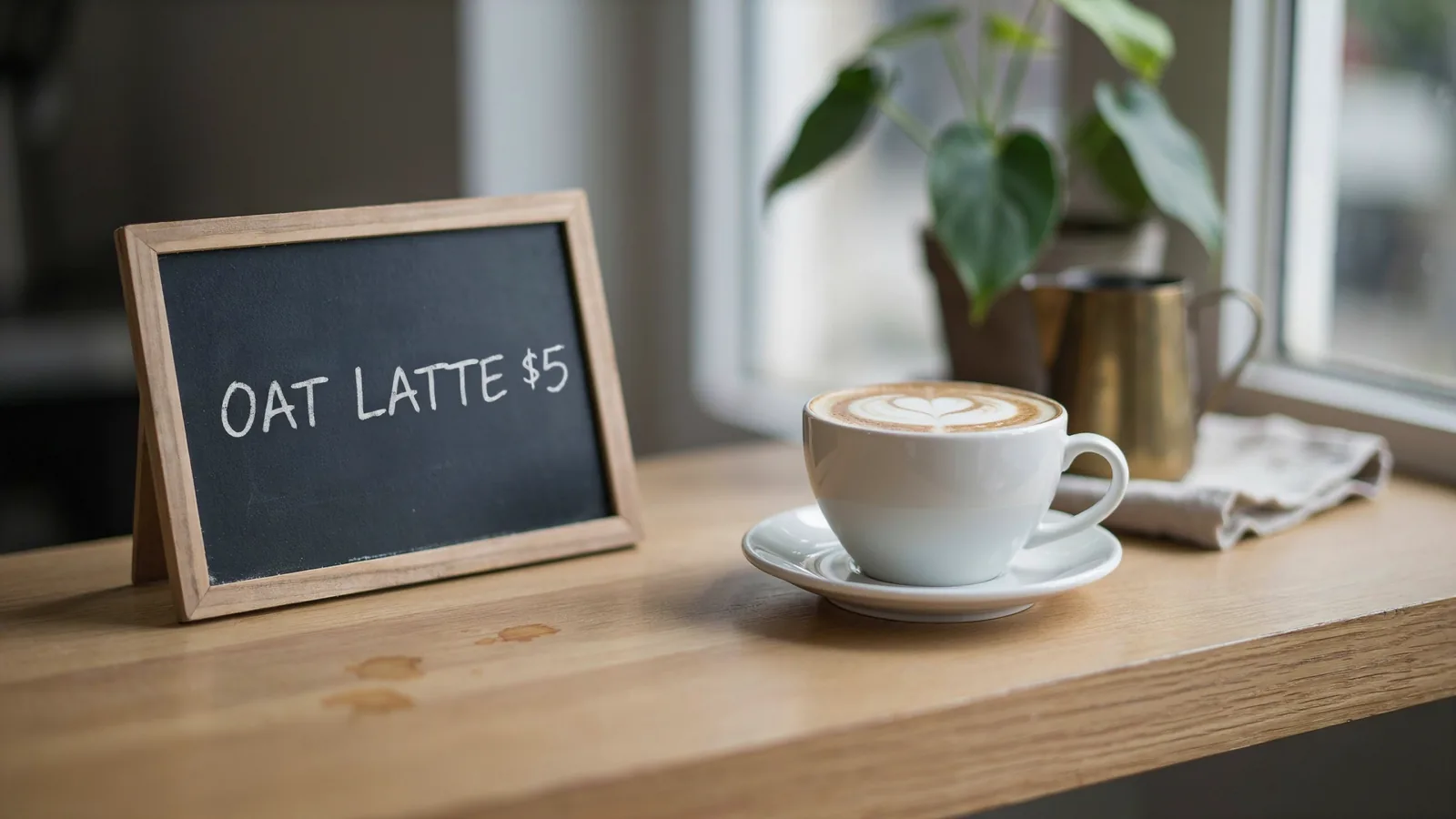
Ideogram wrote the line exactly as typed and drew a clear heart. The light is soft and slightly cool, so it fits “warm morning” least well, and it added small coffee stains on the counter. It costs twice as much as GPT Image or Seedream.
Nano Banana 2.1 · 8 credits
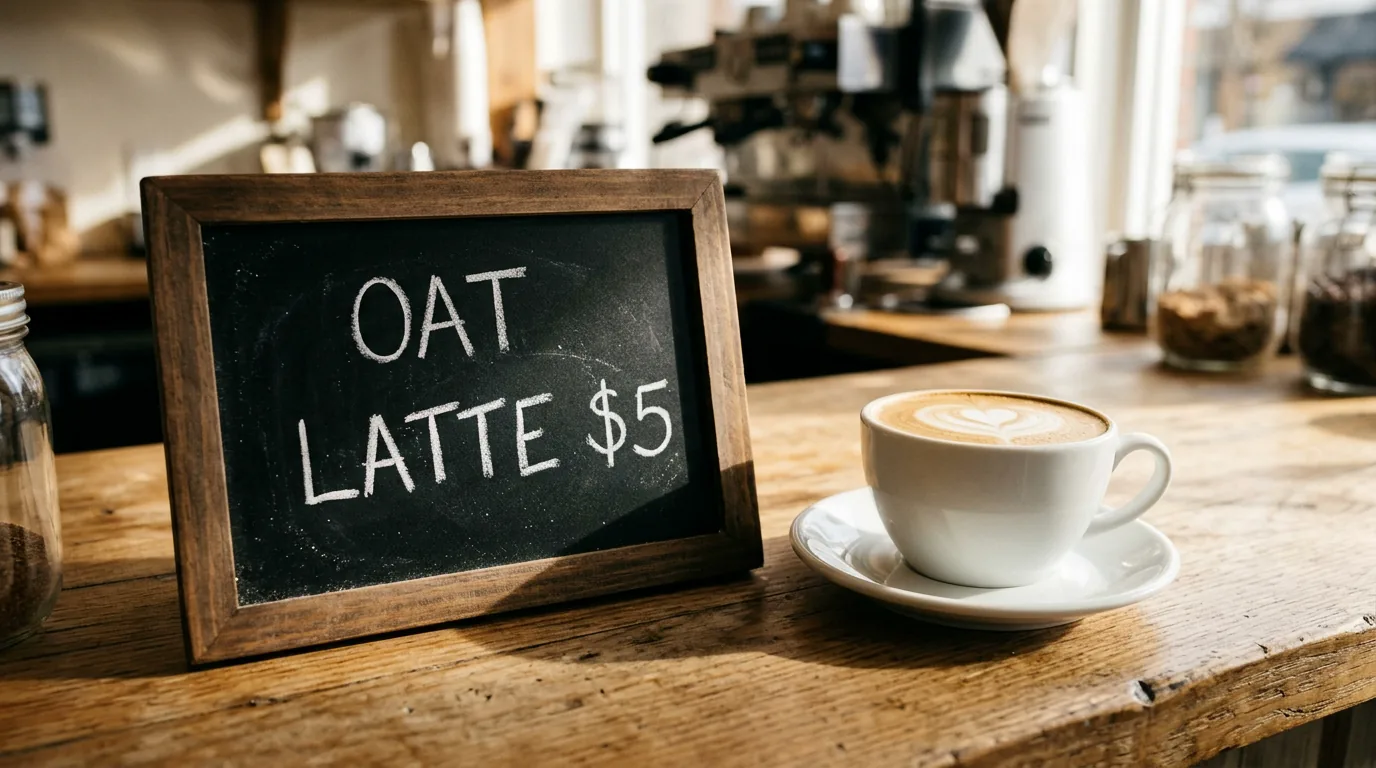
Nano Banana produced a believable café with an espresso machine and jars of beans. The heart was the weakest of the four, and it was the most expensive run: the form estimated 4–8 credits and charged 8.
Which model should you use?
| If you want… | Start with | Why |
|---|---|---|
| The lowest cost with good light | GPT Image 2.6 | 3 credits; warmest scene in our test |
| Large, sharp files for print or cropping | Seedream 5.5 | 3 credits for a 2K image |
| Text laid out exactly as typed | Ideogram 4.5 | Kept our single line unchanged |
| A busy, detailed scene | Nano Banana 2.1 | Most background detail, at the highest cost |
A practical approach: try your prompt on GPT Image or Seedream first, then switch to Ideogram if the text layout is wrong. To animate the result, see how seven video models handled a latte-art clip.
What to check before you generate
- Read the estimate on the button. Two forms showed a range, and both charged the top of it.
- Check quality and resolution. Each model has its own defaults, and raising them raises the cost.
- Set the size on Ideogram. It offers pixel sizes such as 2560 × 1440 instead of a 16:9 shape.
- Ignore upgrade banners unless you want to change your plan.
Our pricing guide lists Pika’s published cost for each model.
Limits of this test
- One prompt and one run per model. Another prompt, or a second run, can give different results.
- The sign text was short. Longer text, small print or other languages may separate the models more.
- Each model ran at its default quality, so output sizes differ.
- Credits are what our account was charged. Your quote may differ with other settings.
Common questions
Which Pika image model is best for text?
All four spelled our short sign correctly. Ideogram 4.5 was the only one that kept the words on one line exactly as typed, so start there when layout matters.
What is the cheapest image model in Pika?
In our test, GPT Image 2.6 at Low quality and Seedream 5.5 at 2K each cost 3 credits for one image.
Why did Nano Banana cost more than the others?
Its form showed a 4–8 credit estimate and charged 8 for one 1K image. That made it the most expensive of the four in this test.
Why are the image sizes different?
Each model ran at its own default. GPT Image and Nano Banana made roughly 1K images, Seedream made 2K, and Ideogram used the 2560 × 1440 size we picked.