I start with the job the sound needs to do. A pouring sound makes an action clearer. A music bed sets a mood. Narration explains a message. A soundtrack scores an existing clip. Music Studio puts these four options in one place.
We tested SFX, Speech, Music and Soundtrack on 8 October 2026, using the selected Pika models. The four completed jobs cost 8 Pika credits. Music, SFX and our scored video are 10 seconds. Speech has no length setting; our short script produced 8.01 seconds.
Play the four real outputs
Start here, then choose a workflow below. These are the generated results, not stock examples. Audio players contain MP3 copies of the downloaded WAV files; the soundtrack is the downloaded MP4. Nothing starts playing automatically.
What is Pika Music Studio?
Pika Music Studio is a workspace for generating sound effects, spoken audio, music and a score for an uploaded video. Select a mode, provide its input, review the estimate, and generate. The input form changes with the mode.
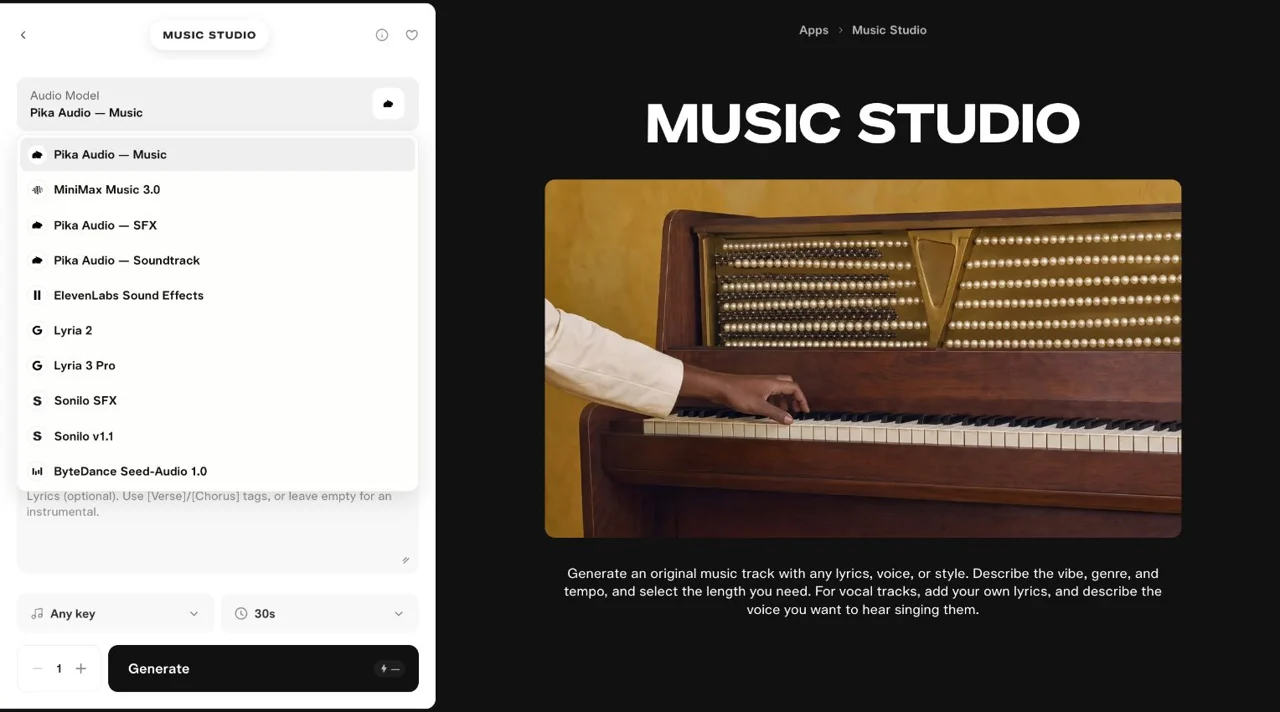
In our checked interface, Music used Pika Audio — Music, SFX used Pika Audio — SFX, and Soundtrack used Pika Audio — Soundtrack. Selecting Speech opened Pika Speech with a script and voice preset. These are audio jobs; Pika 2.5 is not the model for this workflow.
Which feature should you choose?
| Your job | Choose | Bring | What you receive |
|---|---|---|---|
| Make one action audible | SFX | A sound description | An audio file to place in an edit |
| Explain a message | Speech | The exact spoken script | A voice recording |
| Create a music bed or song | Music | Genre, instruments and mood; lyrics are optional | A music file |
| Score a finished clip | Soundtrack | A video and optional instructions | Video with the score included |
Short-form creators can add narration or a music bed. Product teams can score a demo. Editors can make a sound cue for a specific action. Teachers can turn a short explanation into speech. I would choose one workflow first rather than pay for every mode before knowing what the clip needs.
Music creates a track from a brief. Soundtrack takes the picture as its input. A separate SFX file will not automatically line up with your cup hitting a table; that placement is an editing step.
Open the studio and set up one attempt
Open Music Studio. From Create home, scroll to the apps area and use app search if its card is not visible.
- Select SFX, Music, Speech or Soundtrack in the left panel.
- Keep the selected Pika model for your first attempt.
- For Music and SFX, set Length / Duration → 10s. A fresh Music form started at 30s in our session.
- Keep Generations = 1 where this control appears.
- Wait for the quote to settle, then press Generate once.
Audio Model also lists other providers. Our menu included MiniMax Music 3.0, ElevenLabs Sound Effects, Lyria and Sonilo choices. We inspected the list, but the four results here use Pika. Changing a model can change the fields, supported lengths and price.
SFX: make a short action sound
Use it when: a clip needs pouring, a click, a hit or a transition cue. I keep the brief focused on one sound family so the result has a clear purpose.
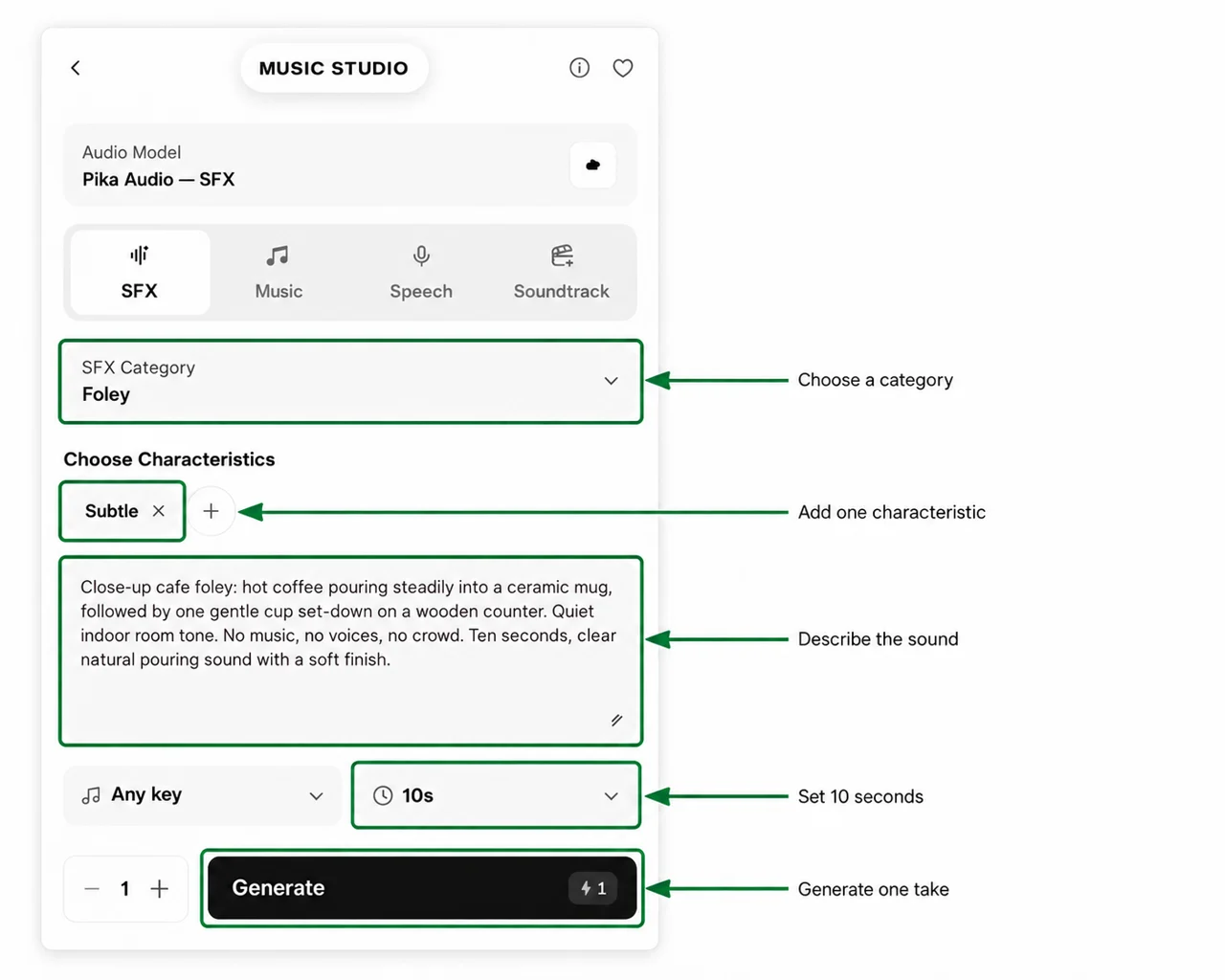
1. Choose a category and characteristic
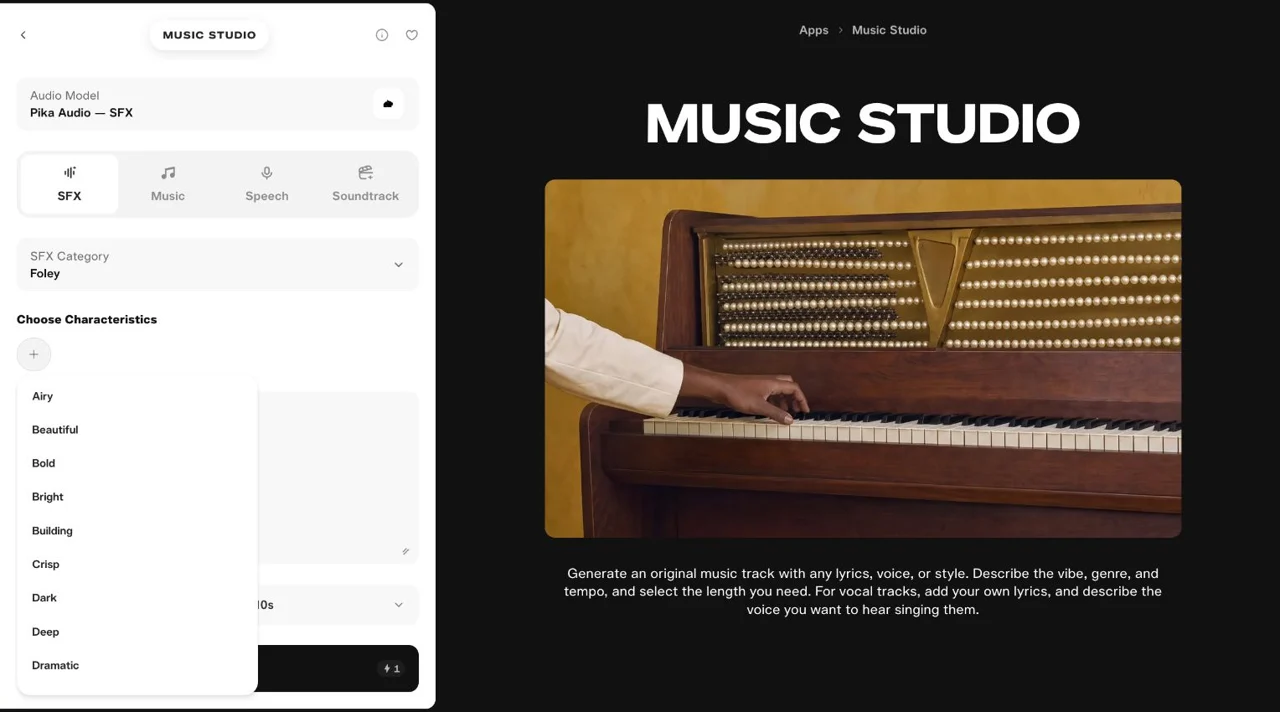
Select SFX → SFX Category → Foley for this everyday action. Our menu also listed Any category, Accents, Clicks, Hits, Keyed Hits, Risers, Undertones and Whooshes.
Press Add characteristic to add a direction. We chose Subtle. Options include Airy, Bold, Bright, Crisp, Dark, Dramatic and Textural. Use the × on a tag to remove it.
2. Describe what happens
Our input: Foley, Subtle, Any key, Duration 10s, one generation.
Close-up cafe foley: hot coffee pouring steadily into a ceramic mug, followed by one gentle cup set-down on a wooden counter. Quiet indoor room tone. No music, no voices, no crowd. Ten seconds, clear natural pouring sound with a soft finish.
State the source, action, surroundings and unwanted sounds. This brief requests pouring and a cup set-down; it is not evidence that the output gets both timings right.
3. Generate and inspect the result
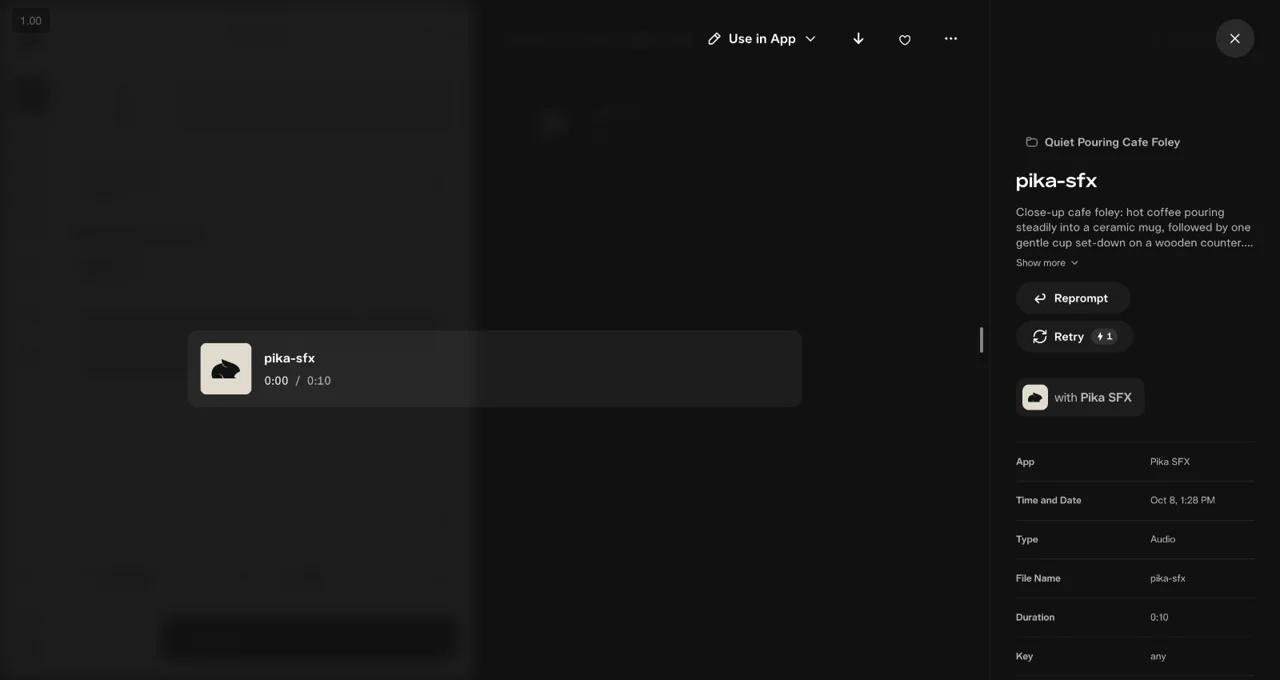
The completed job returned a 10.00-second WAV at 44.1 kHz, costing 1 credit. Its MP3 copy is below.
4. Place it at the right moment
Play it with the clip. Listen for the pouring start, cup contact and unwanted room noise. If the action lands too early, move or trim the audio in your editor. If the sound itself is wrong, revise the brief before another paid attempt.
Speech: turn a short script into narration
Use it when: a viewer needs an explanation, a short invitation or a character line. I write the spoken words first, then choose the delivery.
1. Select Speech and write the script
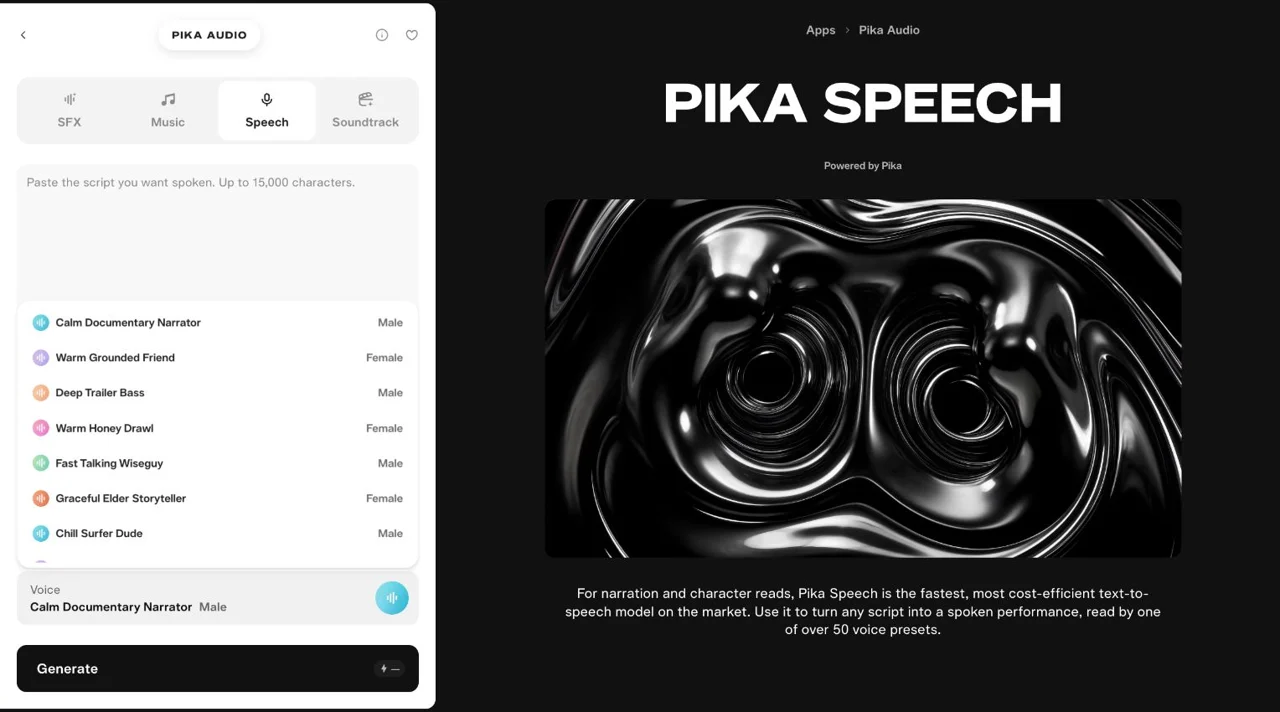
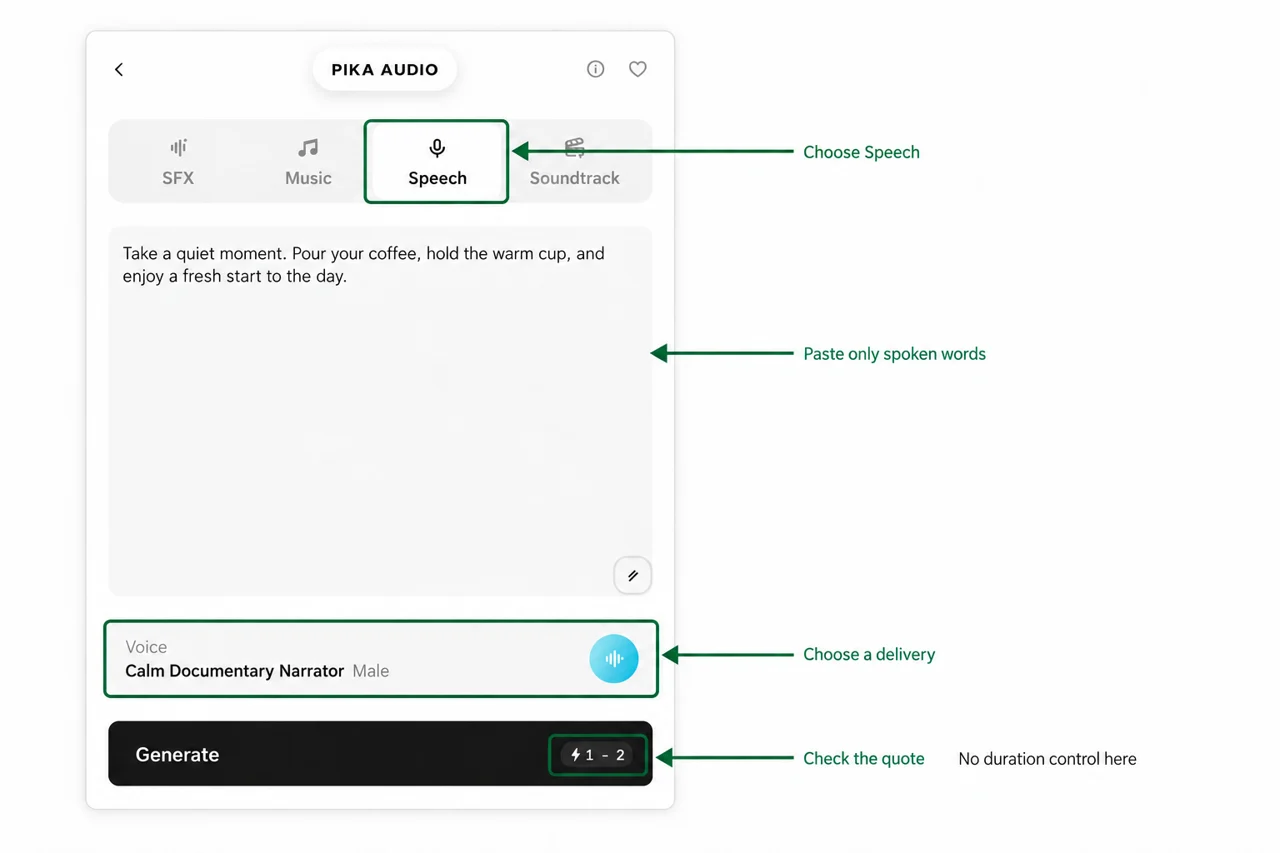
Selecting Speech opened Pika Speech. Paste only the words you want read into Script. There is no Duration or Length control in this form.
Our 19-word script was aimed at a short coffee clip:
Take a quiet moment. Pour your coffee, hold the warm cup, and enjoy a fresh start to the day.
2. Choose a voice preset
We kept the default Calm Documentary Narrator, Male. The menu also offered Warm Grounded Friend, Polished News Anchor, Bright Peppy Vlogger and many other named deliveries.
3. Generate and check the runtime
Our completed WAV was 8.01 seconds at 48 kHz, costing 1 credit. We kept its natural runtime. It was not stretched or padded and is not an exact 10-second generation.
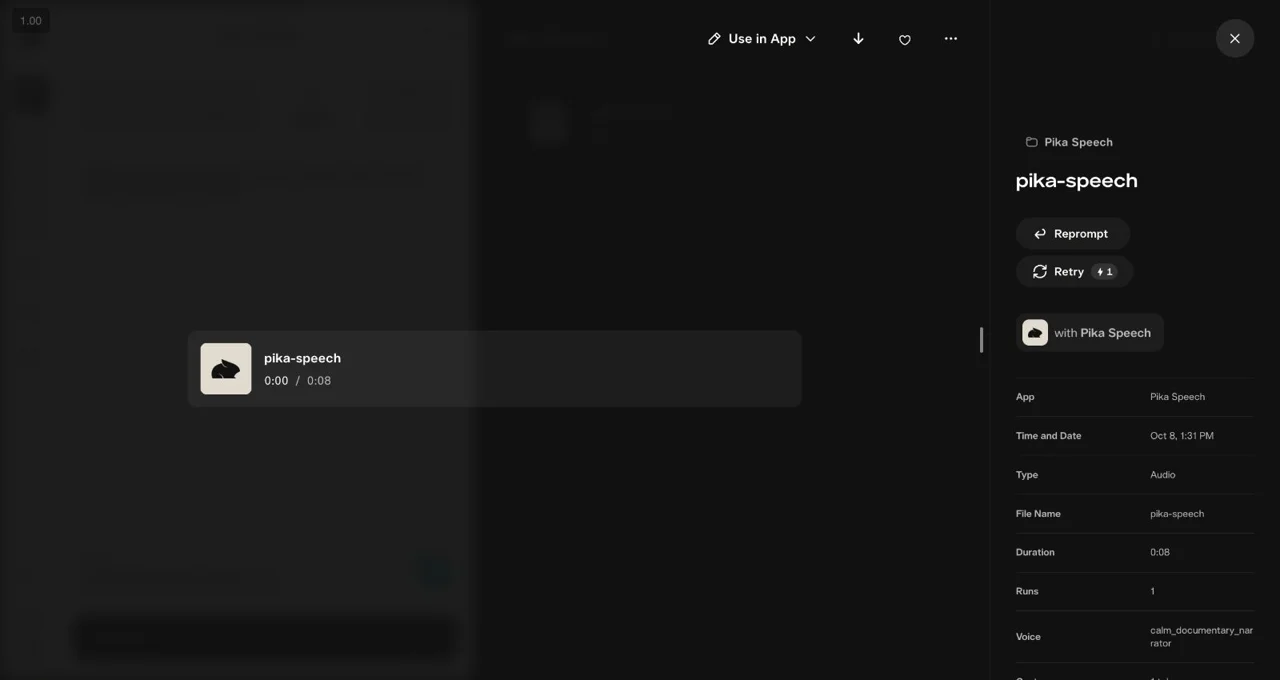
4. Check the read against your script
Listen for every word, pronunciation, pauses and a complete final sentence. For a 10-second scene, this attempt leaves about two seconds for the opening or ending. If the read is too long, shorten the wording before another attempt.
Music: make a 10-second instrumental
Use it when: you need a short intro, background track or musical direction before editing. I begin without references or lyrics so the brief is easy to judge.
1. Choose Music → From brief
Keep Pika Audio — Music. State the genre, tempo, instruments, mood and ending. We left Music reference and Lyrics empty, kept Any key, set Length to 10s, and kept one generation.
2. Enter a precise brief
A ten-second instrumental intro for a handmade coffee product clip. Warm acoustic guitar, soft brushed drums and a simple bass line, 90 BPM, relaxed and welcoming. No singing, no spoken words. Start cleanly and end with a short resolved chord.
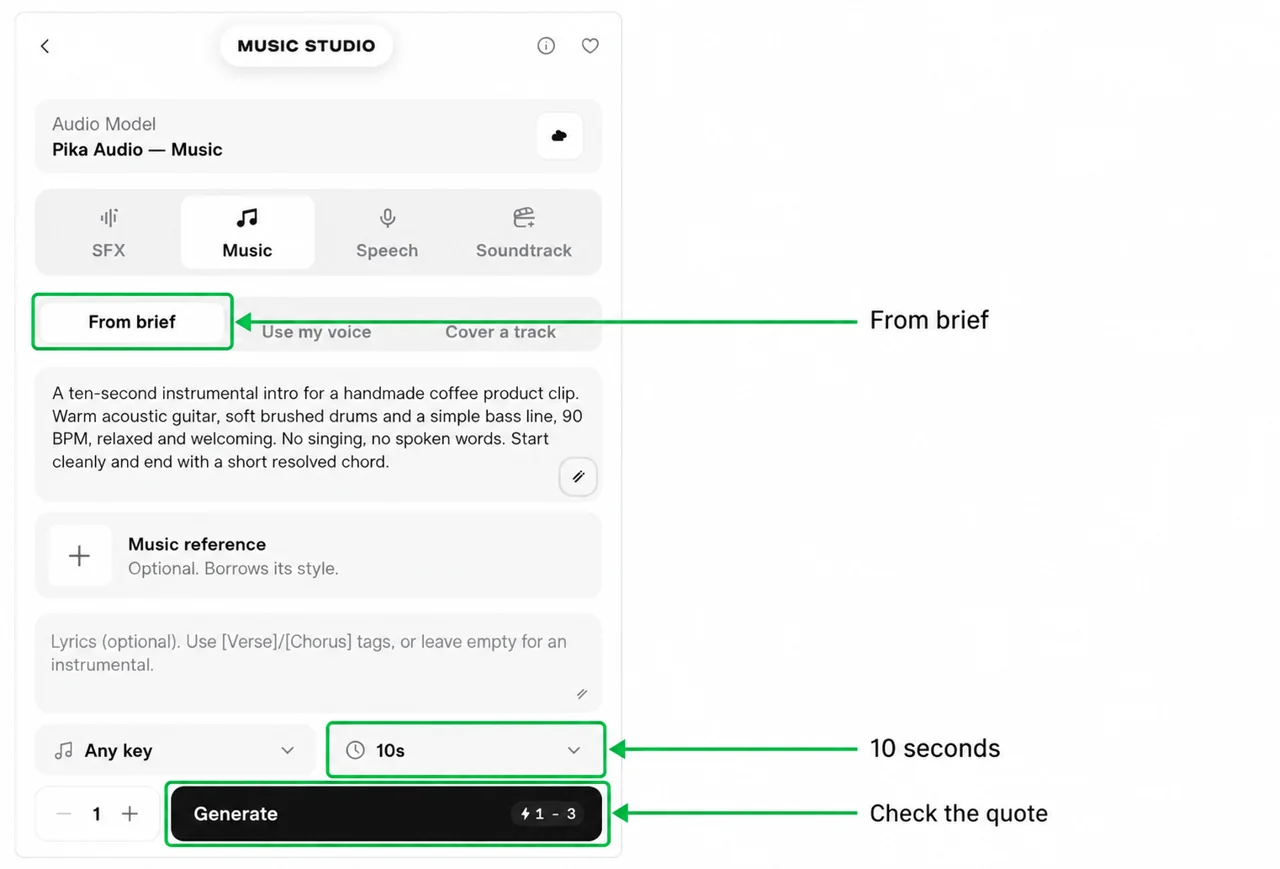
3. Generate and keep the actual take
The job returned a 10.00-second WAV at 48 kHz. We requested 90 BPM and an instrumental arrangement; we did not measure tempo or rank its musical quality.
4. Check the start and finish
Listen for unwanted singing, an abrupt opening, and a final chord that gets cut off. A 10-second clip may need one short phrase rather than a full song structure. Lower the music under narration in your edit, then check speech remains easy to hear.
What do the other Music controls do?
| Control | When I would use it | Our test |
|---|---|---|
| Lyrics | Supply words for a vocal track; the field suggests [Verse] and [Chorus] tags | Left empty |
| Music reference | Attach an audio style reference | Not attached |
| Key | Request a key for a track you plan to combine with other music | Any key |
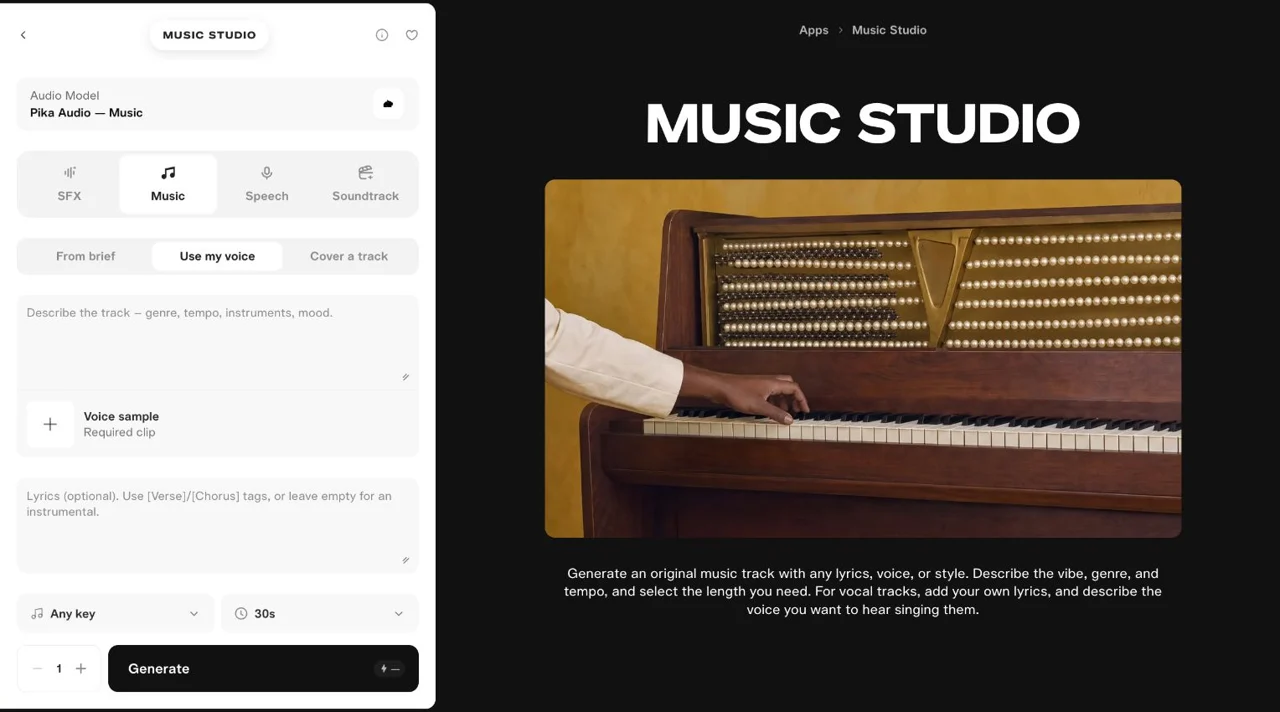
| Use my voice | Supply the required voice-sample clip | Form inspected; not generated |
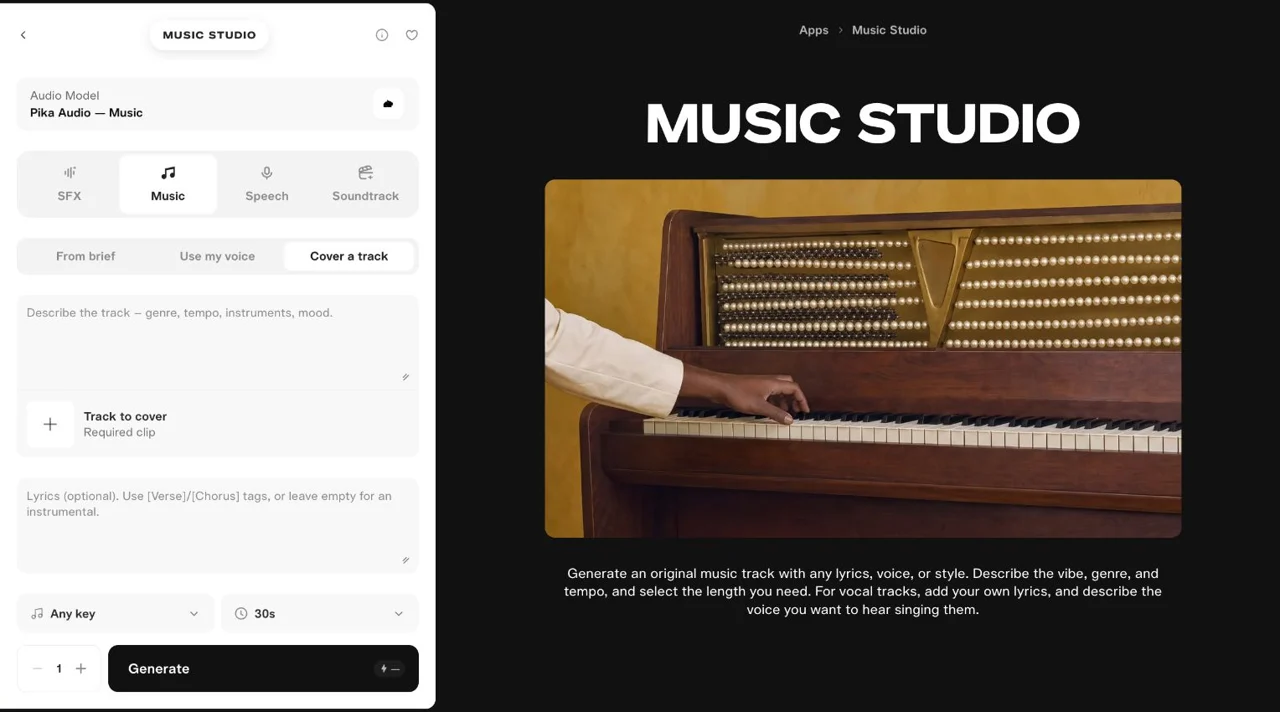
| Cover a track | Supply the required source-audio clip | Form inspected; not generated |
The last two approaches require a file. They are different from our text-only test. Use your own recording or material you have permission to upload.
Soundtrack: score an existing 10-second video
Use it when: the clip is ready and you want a score built around it. I choose this after approving the picture, so another video revision does not waste the audio attempt.
1. Prepare a 10-second source
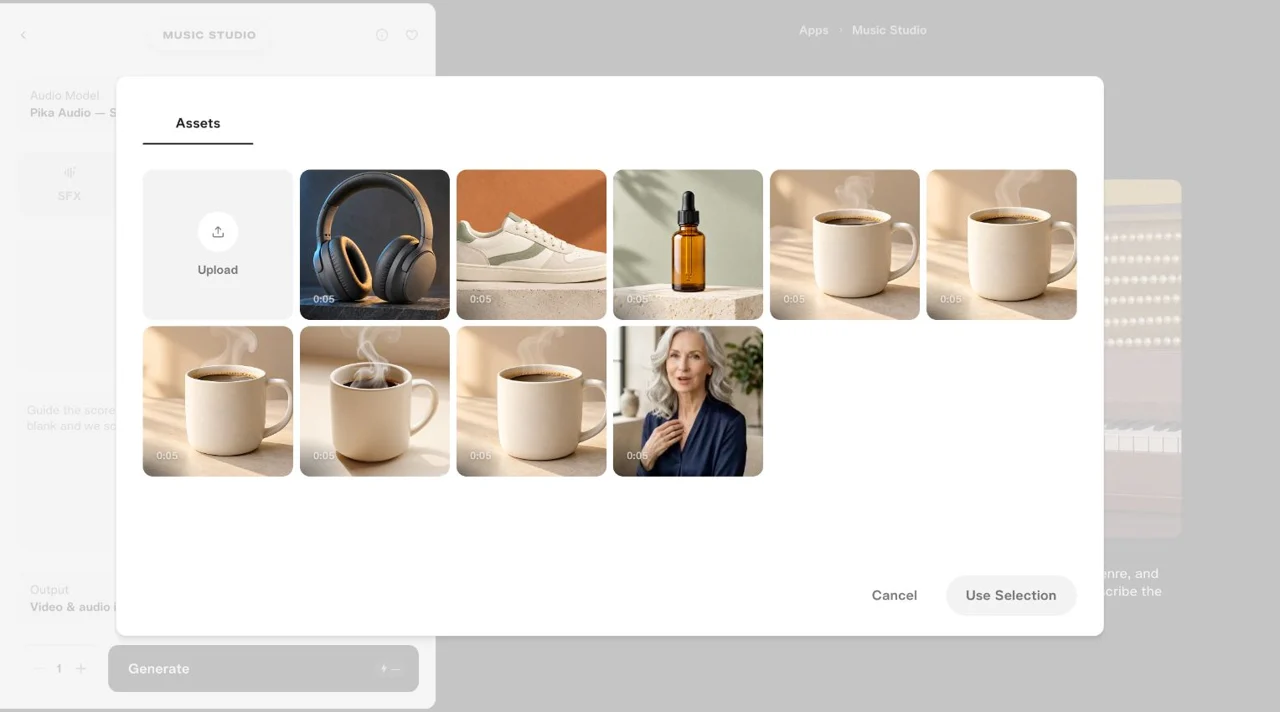
We reused our earlier Pika 2.5 coffee-mug video, repeated its five-second shot twice, and removed audio. The prepared input is exactly 10 seconds. The repeat is an edit for this test, not a new 10-second Pika 2.5 generation.
2. Upload the clip
Select Soundtrack → Add your movie. In the picker, choose Assets → Upload, then the file. Our picker accepted MP4, MOV or WEBM. Wait for a thumbnail and runtime before generating.
3. Guide the score and choose the output
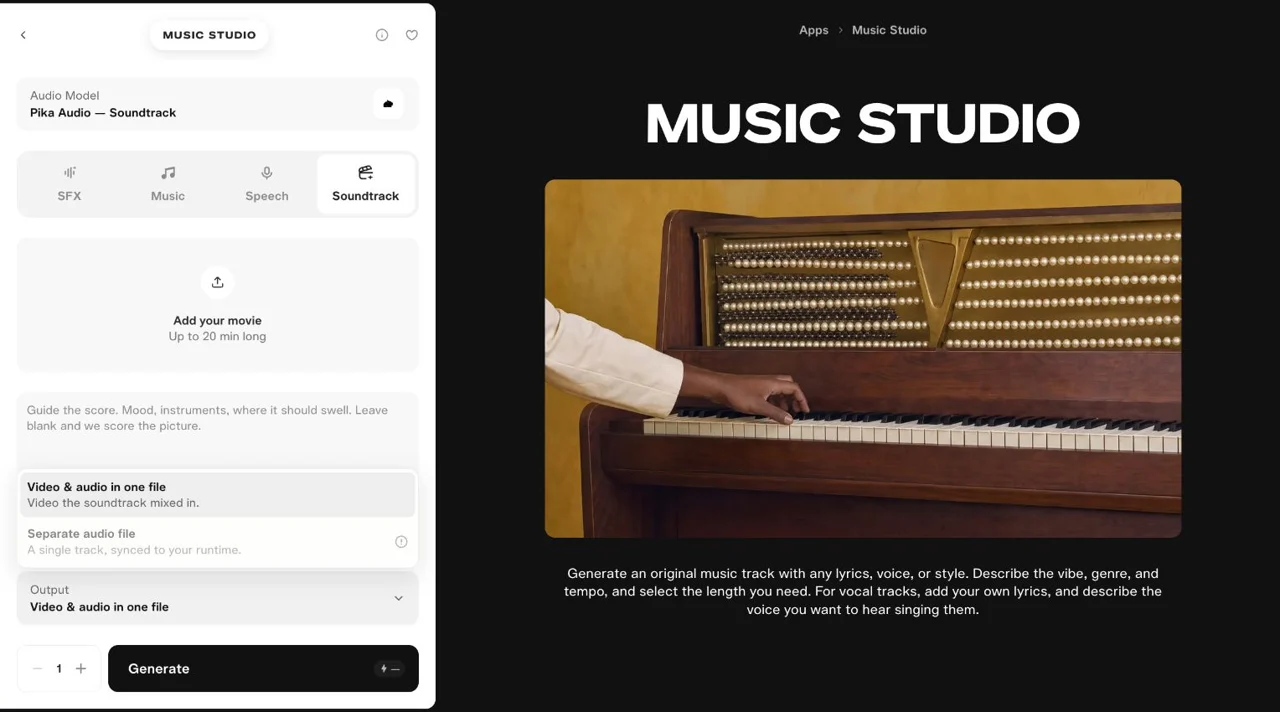
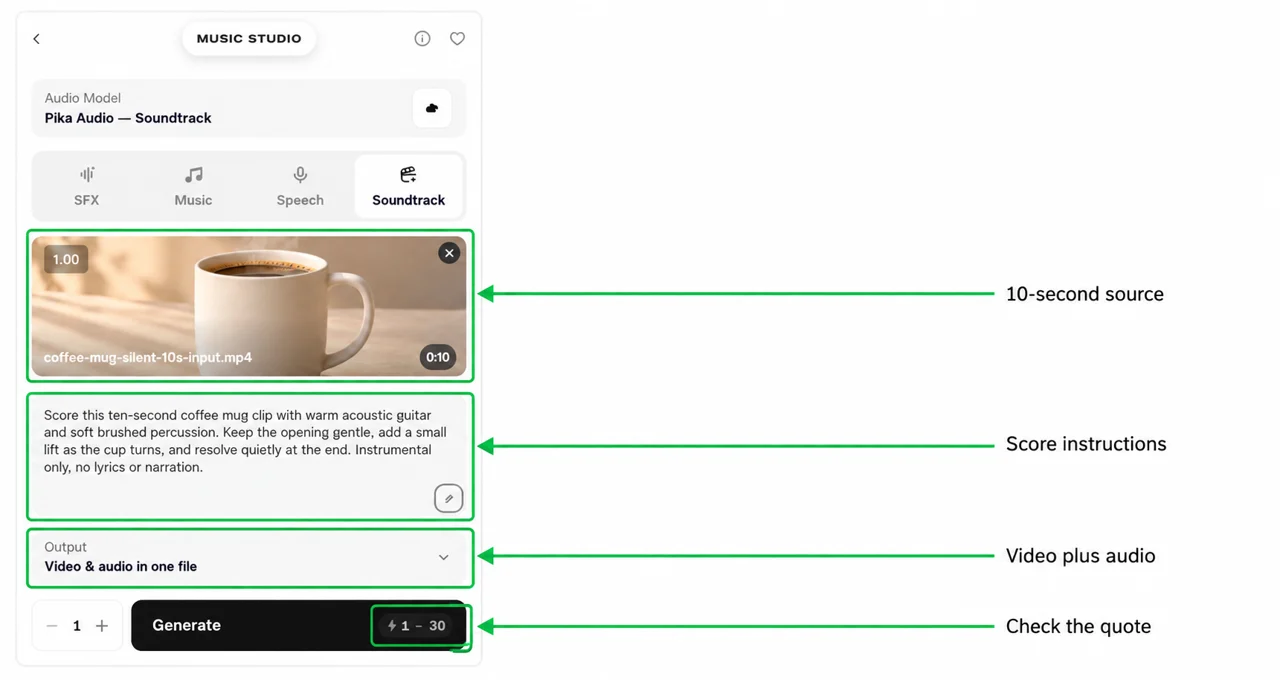
The Instruction field is optional. We provided a brief rather than leaving the score entirely to the clip:
Score this ten-second coffee mug clip with warm acoustic guitar and soft brushed percussion. Keep the opening gentle, add a small lift as the cup turns, and resolve quietly at the end. Instrumental only, no lyrics or narration.
Keep Output → Video & audio in one file. Our checked Separate audio file option was disabled. Soundtrack had no separate length setting: we supplied a 10-second video.
4. Generate, then compare input and output
The downloaded MP4 is 10.00 seconds, 1900 × 1092, with a 48 kHz audio track. The source contained no audio; the completed file contains both video and audio.
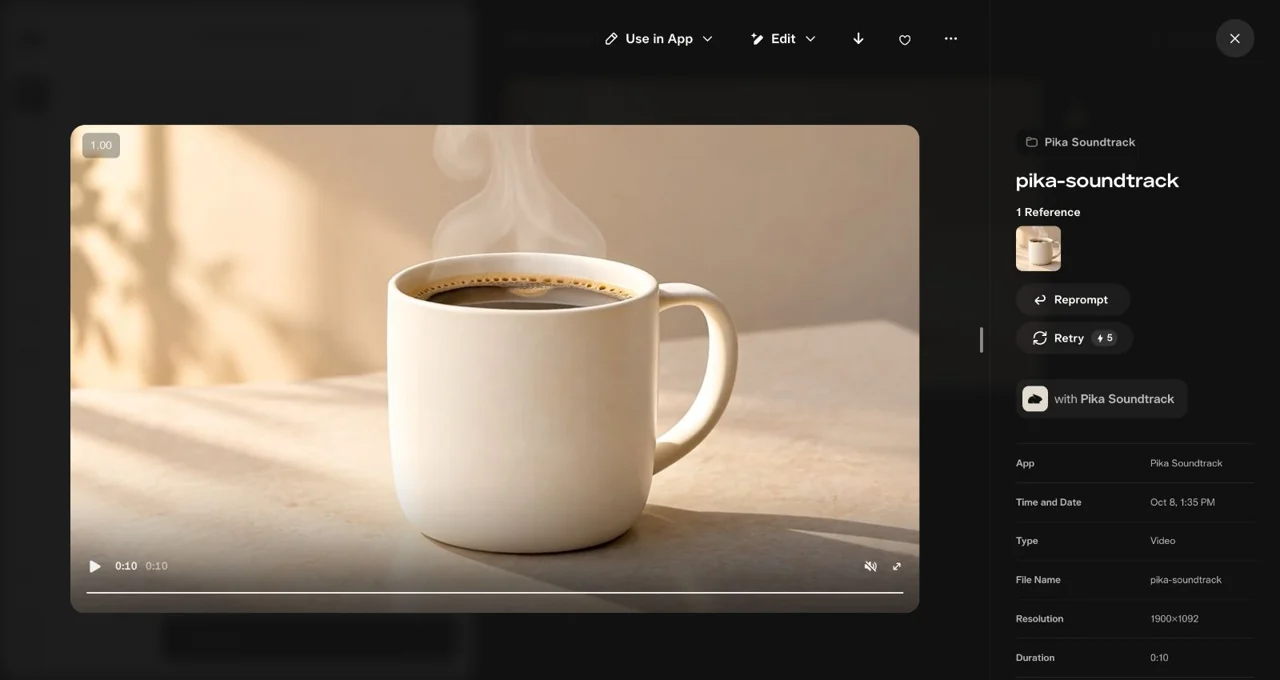
Play it beside the silent input. Check the opening, midpoint repeat and ending. Does the score support the cup without sounding too busy? Matching file lengths does not prove that every musical change follows the action.
Download the file and keep the useful settings
Open the result’s asset details, then press the download arrow at the top. We downloaded all four outputs this way. The audio downloads were WAV files; Soundtrack downloaded as MP4.
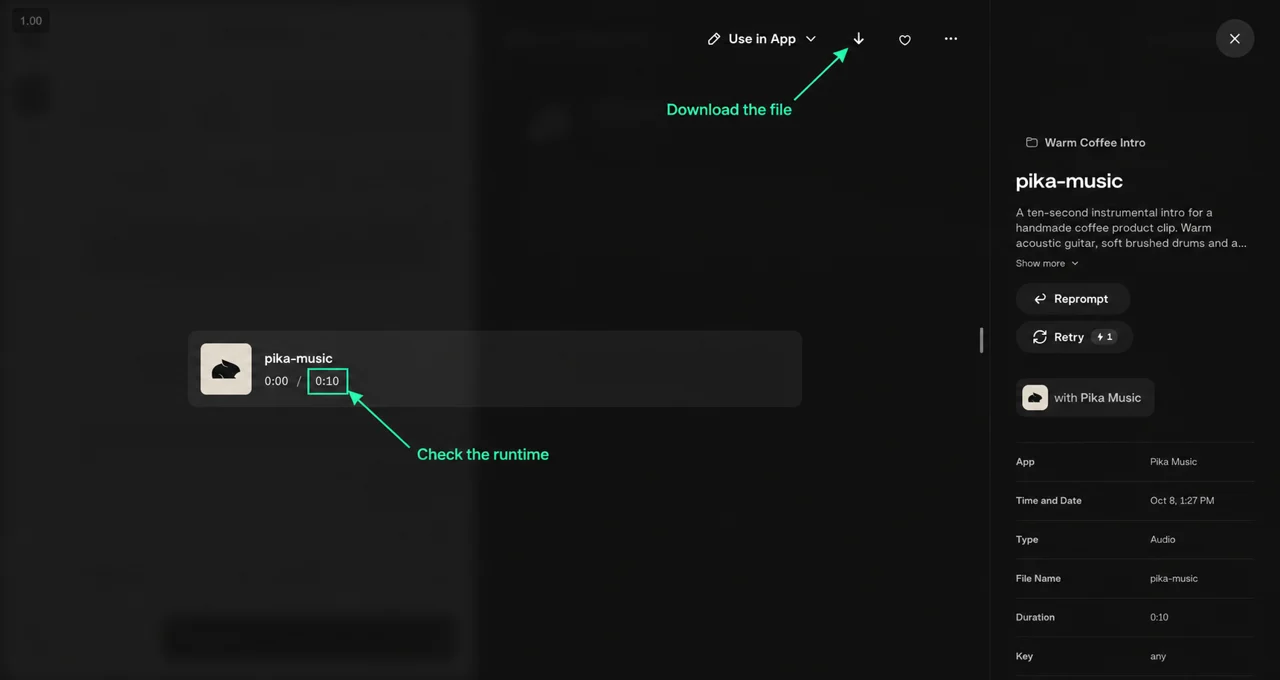
Reprompt returns to the inputs. Retry requests another paid take. Keep your original brief, selected mode, model, length, quote and completed cost together so you can change one thing at a time.
Open Timeline is a separate editing step. Downloading an asset does not mean it has been added to the timeline. We did not combine these four outputs into a finished edit or test a timeline export.
What our four attempts cost
| Mode | Input length setting | Quote shown | Actual output | Completed cost |
|---|---|---|---|---|
| SFX | Duration 10s | 1 credit | 10.00s WAV | 1 |
| Speech | No duration control | 1–2 credits | 8.01s WAV | 1 |
| Music | Length 10s | 1–3 credits | 10.00s WAV | 1 |
| Soundtrack | 10s source video | 1–30 credits | 10.00s MP4 | 5 |
| Total | One job per mode | Four completed outputs | 8 |
These are observed costs from 8 October 2026, not fixed prices. The asset details call the unit “tokens”; the account balance calls it credits. We use credits here for consistency with the balance.
The total excludes the earlier video generation, subscription and later retries. We generated one take per mode and did not test other providers, sung lyrics, a voice sample or a cover. The results prove the workflow and file outputs; they do not establish a quality ranking or an engagement improvement.
My first-attempt checklist
- One purpose: action cue, narration, music bed or score?
- One input: a focused brief, exact script or approved clip?
- Short length: 10s where offered; measure speech after generation.
- One generation: read the settled quote before submitting.
- One review: play the entire result and check the beginning and ending.
- One change: revise the part that failed before buying another take.
For the coffee example, I would begin with Music for mood or Soundtrack for the finished clip. I would add Speech only if the message needs words, and SFX only if the action needs emphasis.